Granola AI Notepad for Meeting
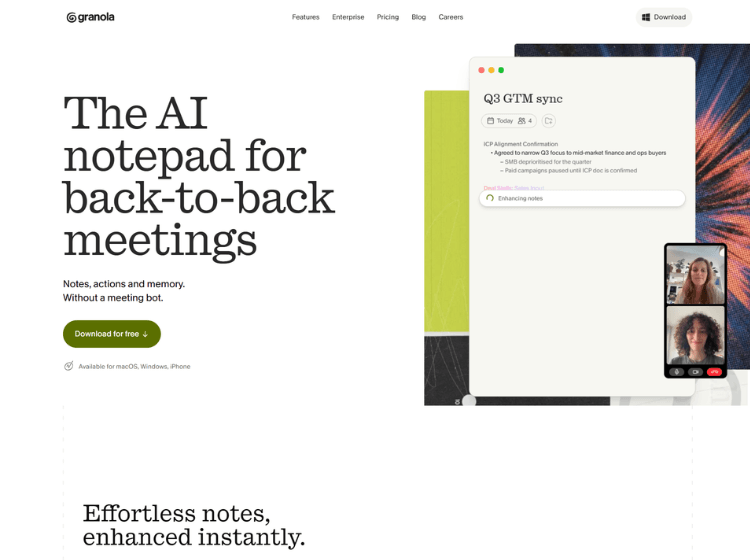
What is Granola AI: Overview
Granola AI is an AI meeting assistant designed to help users capture and organize information from meetings without requiring a visible bot to join calls. Instead of interrupting conversations, it transcribes meetings in the background and transforms rough notes into structured, searchable summaries.
The platform supports the entire meeting workflow. Before meetings, it prepares contextual briefs using calendar information. During meetings, users can take notes while Granola captures the conversation. Afterward, AI enhances the notes, generates summaries, extracts action items, and allows users to search previous meetings using natural language.
Granola also integrates with workplace tools such as Slack, Notion, HubSpot, Affinity, Attio, Zapier, and other productivity platforms, making it easier to share meeting knowledge across teams. It is suitable for professionals who attend frequent meetings and want an organized, searchable knowledge base without manually writing detailed meeting notes.
Key Features of Granola AI
- AI-generated meeting notes and summaries
- Bot-free meeting transcription running in the background
- Calendar synchronization with pre-meeting briefs
- Searchable meeting history with AI-powered chat
- Integrations with productivity and CRM platforms
How to Use Granola AI: Step-by-Step
Here are the simple steps to start using the Granola.ai platform.
Step 1: Create an Account – Sign up for a Granola AI account and install the desktop application.
Step 2: Connect Your Calendar – Allow Granola to sync with your calendar so it can automatically detect upcoming meetings and prepare contextual briefs.
Step 3: Join Your Meeting – Attend your online or in-person meeting as usual. Granola captures the conversation in the background without joining as a meeting participant.
Step 4: Take Notes – Write quick notes during the meeting if needed while Granola transcribes the discussion.
Step 5: Review AI Notes – After the meeting, Granola automatically converts your notes and transcript into organized summaries with action items.
Step 6: Ask AI Questions – Search previous meetings or ask questions about discussions using the built-in AI assistant.
Step 7: Share and Export – Share notes with teammates or connect Granola to supported productivity tools for workflow automation.
Use Cases of Granola
- Meeting note automation
- Sales and customer call documentation
- Project planning and team collaboration
- Executive and management meetings
- Interview and research note organization
Target Audience
- Sales professionals
- Founders and executives
- Product managers
- Consultants
- Customer success teams
- Recruiters
- Remote teams
- Students and researchers
Granola AI Pricing
1. Basic – $0 per user per month (Great for a free taste of Granola)
2. Business – $14 per user per month (Great for individuals or small teams)
3. Enterprise – $35 per user per month (Great for larger companies)