Notion AI Workspace for Teams
What is Notion AI: Overview
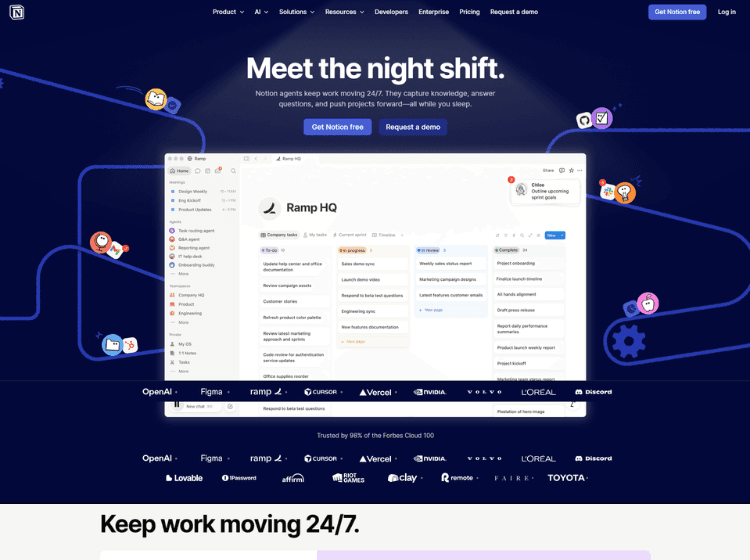
Notion AI is an integrated AI assistant inside the Notion workspace designed to support writing, collaboration, knowledge management, and workflow organization. Instead of functioning as a standalone chatbot, it works directly within pages, documents, databases, and team workspaces. Users can generate content, summarize meeting notes, organize research, brainstorm ideas, and search information across connected tools like Slack and Google Drive.
The platform also includes AI-powered meeting notes, enterprise search, database autofill, translation, editing assistance, and workflow automation tools. Notion AI is available across web, desktop, and mobile versions of Notion, making it accessible for individuals, teams, startups, and enterprises managing projects and documentation in one place.
Key Features of Notion AI
- AI writing assistance for drafting, editing, summarizing, and translating content
- AI-powered meeting notes with transcription and summaries
- Workspace search across connected apps like Slack and Google Drive
- Database autofill and workflow automation tools
- Integrated collaboration inside notes, docs, wikis, tasks, and databases
How to Use Notion AI: Step-by-Step
Here is the step-by-step guide to start using the Notion platform.
Step 1. Visit Notion Official Website and create an account.
Step 2. Open a new or existing Notion workspace.
Step 3. Create a page, database, task board, or document.
Step 4. Use the AI prompt options inside the editor by typing commands or selecting AI actions.
Step 5. Ask Notion AI to generate content, summarize notes, rewrite text, or brainstorm ideas.
Step 6. Connect external tools like Slack or Google Drive if workspace search is needed.
Step 7. Use AI Meeting Notes to transcribe and summarize meetings automatically.
Step 8. Organize outputs into databases, documents, or collaborative workspaces.
Step 9. Share pages and collaborate with team members in real time.
Step 10. Upgrade plans if advanced AI usage or enterprise features are required.
Use Cases of Notion AI
- Creating and editing documents, blogs, and internal notes
- Summarizing meetings and generating action items
- Managing project documentation and team collaboration
- Organizing knowledge bases and research materials
- Automating workflows and database management
Target Audience of Notion AI
- Students and educators
- Content creators and writers
- Startup teams and businesses
- Project managers and operations teams
- Remote collaboration teams
- Freelancers and consultants
- Knowledge management professionals
Notion AI Pricing
1. Free – $0 per seat/month (For individuals to organize personal projects and life)
2. Plus – $10 per seat/month (For small teams and professionals to work together)
3. Business – $20 per seat/month (For growing businesses to streamline teamwork)
4. Enterprise – Contact sales (For organizations to operate with scalability, control, and security)
- Pricing may vary depending on billing cycle and workspace configuration.