Kaizan AI Tool for Client Service
What is Kaizan AI: Overview
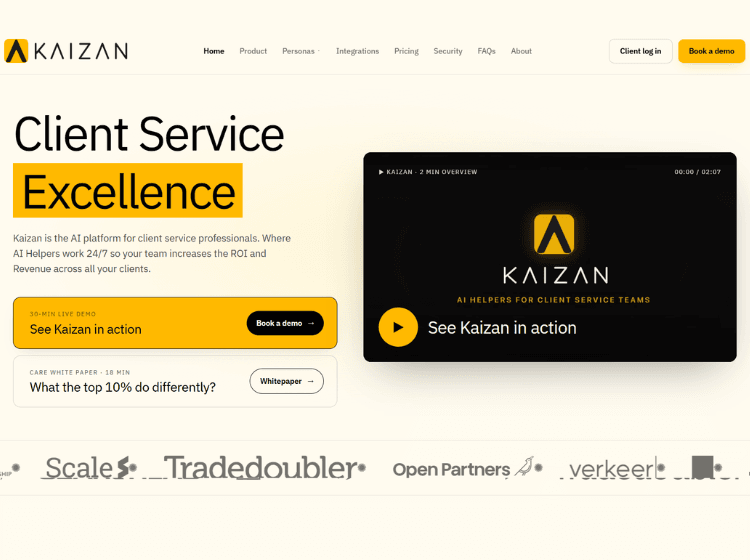
Kaizan AI is an AI-powered client intelligence platform built for agencies, consultancies, customer success teams, and professional services organizations. The platform captures and analyzes client interactions across meetings, emails, chat platforms, CRM systems, and project management tools to create a centralized view of every client relationship.
Its core functionality revolves around the CARE Client Health Model, which evaluates client satisfaction, account activity, relationship strength, and expansion opportunities. Kaizan continuously monitors these signals to help teams identify risks, strengthen stakeholder relationships, and uncover growth opportunities.
The platform also includes AI-powered assistants and helpers that generate meeting summaries, follow-up emails, CRM updates, client reports, and strategic recommendations. Through integrations with tools such as Salesforce, HubSpot, Gmail, Outlook, Slack, Zoom, Microsoft Teams, Jira, Asana, and Notion, Kaizan aims to streamline client service workflows while providing actionable intelligence for account growth and retention.
Key Features of Kaizan AI
- AI Assistant that captures meetings, emails, chats, and client interactions automatically.
- CARE Client Health Model for monitoring client satisfaction, activity, relationships, and growth potential.
- AI Helpers that generate follow-ups, reports, outreach drafts, and client growth recommendations.
- Native integrations with CRM, communication, collaboration, and project management platforms.
- API, webhooks, and enterprise-grade security controls including SOC 2 Type II support.
How to Use Kaizan AI: Step-by-Step
Here are the simple steps to start using the Kaizan.ai platform.
Step 1: Request a Demo or Start Onboarding – Book a demo with the Kaizan team and determine the appropriate plan for your organization.
Step 2: Connect Business Tools – Integrate CRM platforms, email accounts, calendars, meeting tools, chat systems, and project management software.
Step 3: Import Client Data – Allow Kaizan to ingest historical and ongoing client interactions, communications, and account information.
Step 4: Monitor Client Health – Review CARE scores and relationship insights to identify account risks, engagement gaps, and expansion opportunities.
Step 5: Use AI Assistants – Leverage AI-generated meeting summaries, follow-up emails, CRM updates, and account recommendations.
Step 6: Act on Recommendations – Use insights from AI Helpers to improve client satisfaction, strengthen relationships, and drive account growth.
Step 7: Track Outcomes – Monitor account performance, client retention, and expansion opportunities using the platform’s intelligence and reporting capabilities.
Use Cases of Kaizan AI
- Client relationship monitoring and health scoring.
- Customer success and account management workflows.
- Automated meeting notes and follow-up generation.
- Renewal risk detection and client retention management.
- Identifying upsell, cross-sell, and account expansion opportunities.
Target Audience
- Account Managers
- Account Directors
- Customer Success Managers
- Client Service Teams
- Marketing Agencies
- Creative Agencies
- Consulting Firms
- SaaS Customer Success Organizations
- Professional Services Companies
- Chief Customer Officers and Client Service Leaders
Kaizan AI Pricing
1. Team (Up to 30 clients) – £3,495/month
2. Growth (Up to 75 clients) – £5,995/month
3. Scale (Up to 150 clients) – £9,995/month
4. Enterprise – Custom Pricing
5. Monthly Billing – Available with 10% uplift
6. Contract Term – Annual commitment by default