Google Flow - AI Creative Studio
What is Google Flow: Overview
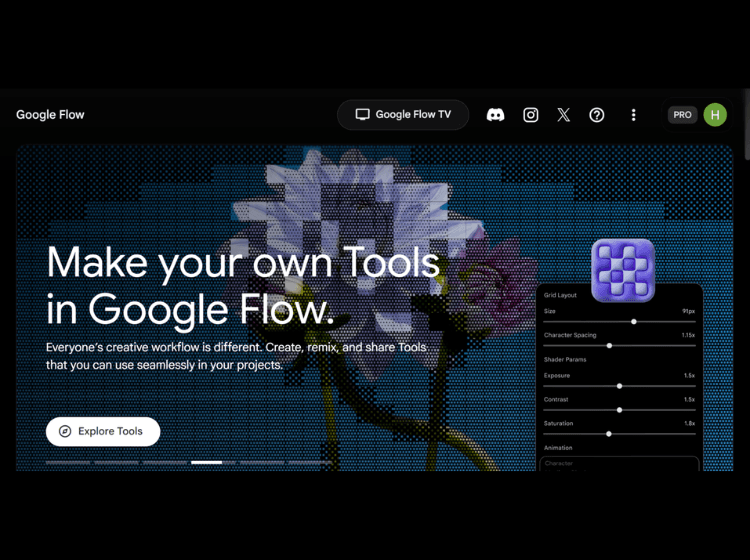
Google Flow is an AI-powered creative platform designed for image and video creation. Built on Google’s generative AI models, including Gemini Omni, Nano Banana, and Veo 3.1, the platform supports content creation from concept development to final output.
Users can generate videos from text prompts, images, and reference materials while maintaining consistency across scenes and assets. The platform includes editing capabilities that allow creators to modify images and videos using natural language instructions. Google Flow also offers specialized tools such as Storyboard Studio, Image Editor, Video Resizer, Shader Effects, and Type Overlays to streamline creative workflows.
In addition to content generation, users can create and customize workflow-specific tools using natural language. The platform supports creative professionals, filmmakers, designers, marketers, and content creators who need a centralized environment for visual storytelling, prototyping, and media production.
Key Features of Google Flow
- AI-powered image and video generation using Gemini Omni, Nano Banana, and Veo 3.1
- Natural language editing for images and videos
- Storyboard creation with script writing and visual planning tools
- Custom creative tool creation and sharing
- Built-in utilities including video resizing, image editing, text overlays, and visual effects
How to Use Google Flow: Step-by-Step
Here are the simple steps to start using the Google Flow app.
Step 1. Sign in with a Google account.
Step 2. Open Google Flow and create a new project.
Step 3. Enter a text prompt or upload reference images.
Step 4. Generate images or videos using available AI models.
Step 5. Refine outputs through natural language editing commands.
Step 6. Use built-in tools such as Storyboard Studio, Image Editor, or Shader Effects.
Step 7. Export or continue editing your creative assets.
Step 8. Organize and manage project resources within the Flow workspace.
Use Cases of Google Flow
- AI-generated video production
- Storyboarding and pre-visualization
- Marketing and social media content creation
- Image editing and enhancement
- Creative concept development and prototyping
Target Audience
- Filmmakers
- Content creators
- Marketing teams
- Graphic designers
- Creative agencies
- Digital artists
- Social media managers
- Video production teams
Google Flow Pricing
1. Free Plan – Free of charge
2. Google AI Plus – Starts at $4.99/month
3. Google AI Pro – $19.99/month
4. Google AI Ultra – $99.99/month