Asana AI Work Management Platform
What is Asana AI: Overview
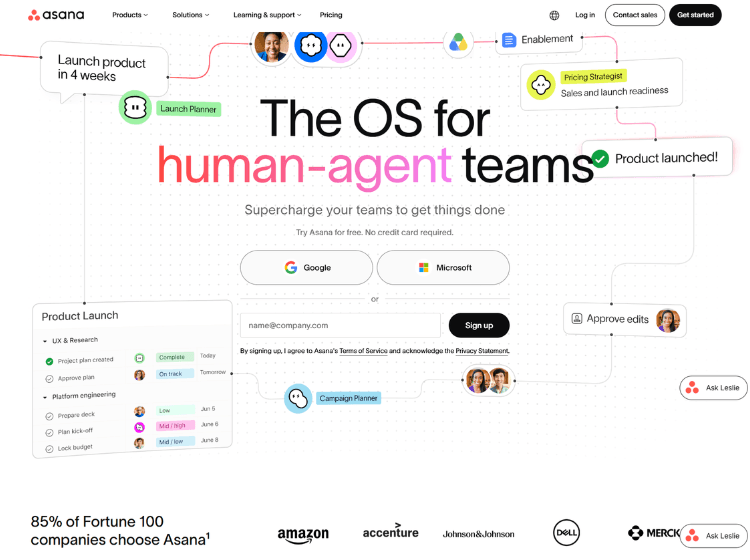
Asana AI is an AI-powered work management platform designed to help organizations manage projects, automate workflows, and improve team collaboration. Integrated directly into Asana, it uses the context of your organization’s tasks, projects, goals, and workflows to assist with planning, prioritization, reporting, and execution.
The platform can generate task summaries, recommend next steps, answer project-related questions, create content, automate repetitive work, and support workflow creation through AI-powered features. It also includes AI Studio, which enables businesses to build intelligent workflow automations without extensive coding.
Asana AI is suitable for teams managing cross-functional projects, marketing campaigns, product development, operations, IT, and other business processes. By combining AI with project management capabilities, the platform helps teams reduce manual work while maintaining visibility into ongoing projects. It integrates with numerous third-party applications, allowing organizations to connect their existing business tools and centralize work management.
Key Features of Asana AI
- AI-powered task creation, summaries, and project insights
- AI Studio for building intelligent workflow automations
- AI-generated answers based on project and organizational context
- Workflow automation with rules, approvals, and task routing
- Integration with popular business and productivity applications
How to Use Asana AI: Step-by-Step
Here are the simple steps to start using the Asana AI platform.
Step 1: Create an Asana Account – Sign up for an Asana account and create or join a workspace.
Step 2: Create Your Workspace – Set up teams, projects, tasks, milestones, and goals that represent your business workflows.
Step 3: Enable AI Features – Access the available AI capabilities included with your Asana plan. Organizations using supported paid plans can also access AI Studio features.
Step 4: Add Project Information – Populate your workspace with tasks, descriptions, deadlines, owners, and project documentation so AI has relevant context.
Step 5: Use AI Assistance – Ask Asana AI to:
- Generate task descriptions
- Summarize projects
- Answer project questions
- Recommend next actions
- Create updates and reports
Step 6: Build Automated Workflows – Use AI Studio to create intelligent automations for approvals, routing, notifications, and repetitive business processes.
Step 7: Monitor and Optimize – Review AI-generated insights, update workflows as projects evolve, and refine automations to improve efficiency.
Use Cases of Asana AI
- Project planning and task management
- Marketing campaign coordination
- Product development workflows
- Business process automation
- Team reporting and project summaries
Target Audience of Asana AI
- Project managers
- Marketing teams
- Product teams
- IT and operations teams
- Business managers
- Enterprise organizations
- Agencies
- Cross-functional teams
Asana AI Pricing
1. Personal – Free
2. Starter – $10.99 per user/month (annual billing) or $13.49 per user/month (monthly billing)
3. Advanced – $24.99 per user/month (annual billing) or $30.49 per user/month (monthly billing)
4. Enterprise – Contact sales
5. Enterprise+ – Contact sales
6. AI Studio Basic – Included with paid plans
7. AI Studio Plus – $135 per account/month (annual billing) or $150/month (monthly billing)
8. AI Studio Pro – Contact sales