Otter AI Meeting Transcriber Tool
What is Otter AI: Overview
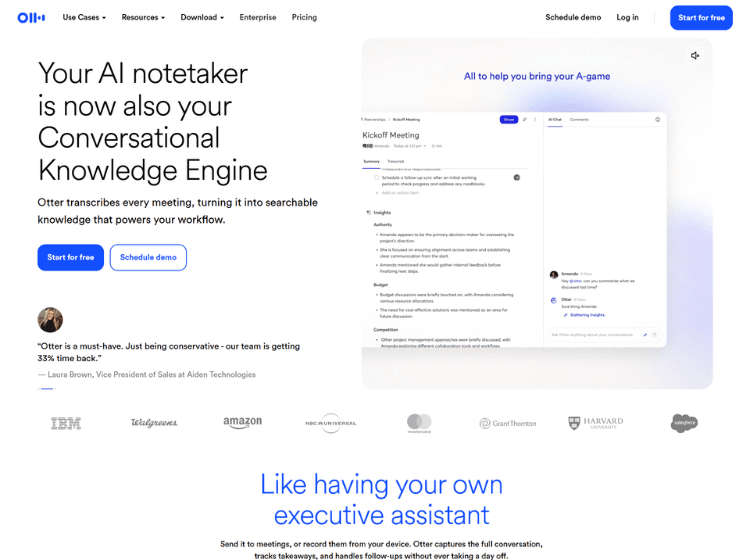
Otter AI is an AI meeting assistant designed to simplify note-taking during meetings, interviews, lectures, and conversations. The platform automatically records audio, generates live transcripts, creates AI-powered meeting summaries, and highlights key discussion points to help users stay focused on the conversation instead of taking manual notes.
Otter AI integrates with popular meeting platforms such as Zoom, Google Meet, and Microsoft Teams, allowing meetings to be transcribed automatically. Users can also upload audio and video files for transcription, search across previous conversations, edit transcripts collaboratively, and share notes with teammates.
The platform supports collaborative workspaces where teams can organize conversations, assign action items, and review meeting history. Otter AI is available through web, desktop, and mobile applications, making it accessible across multiple devices for both individuals and organizations.
Key Features of Otter AI
- Real-time AI meeting transcription and live captions
- Automatic AI-generated meeting summaries and action items
- Audio and video file transcription
- Collaboration with shared notes, comments, and editable transcripts
- Integrations with Zoom, Google Meet, Microsoft Teams, Slack, and other productivity tools
How to Use Otter AI: Step-by-Step
Here are the simple steps to start using the Otter.ai platform.
Step 1: Create an Account – Sign up for an Otter AI account using your email address or supported sign-in options.
Step 2: Connect Your Calendar – Link your Google or Microsoft calendar to automatically detect upcoming meetings.
Step 3: Integrate Meeting Platforms – Connect Zoom, Google Meet, or Microsoft Teams so Otter AI can join and transcribe meetings automatically.
Step 4: Start Recording – Begin a live meeting or upload an existing audio or video file for transcription.
Step 5: Review the Transcript – After the meeting, review the transcript, AI summary, speaker labels, and highlighted key points.
Step 6: Edit and Organize – Correct transcript text if needed, add comments, create highlights, and organize conversations into folders or workspaces.
Step 7: Share with Your Team – Share transcripts, summaries, and meeting notes with teammates for collaboration and follow-up.
Use Cases of Otter AI
- Meeting transcription and automated note-taking
- Sales call documentation and follow-up
- Interview and research transcription
- Classroom lecture recording and note organization
- Team collaboration and meeting documentation
Target Audience
- Business professionals
- Sales teams
- Students
- Educators
- Recruiters
- Journalists
- Researchers
- Customer success teams
- Remote and hybrid teams
- Content creators
Otter AI Pricing
- Basic – Free
- Pro – Starts from $16.99/user/month (monthly billing) or $8.33/user/month (annual billing)
- Business – Starts from $30/user/month (monthly billing) or $19.99/user/month (annual billing)
- Enterprise – Custom pricing (contact sales)