Gamma AI Presentation Maker
What is Gamma AI: Overview
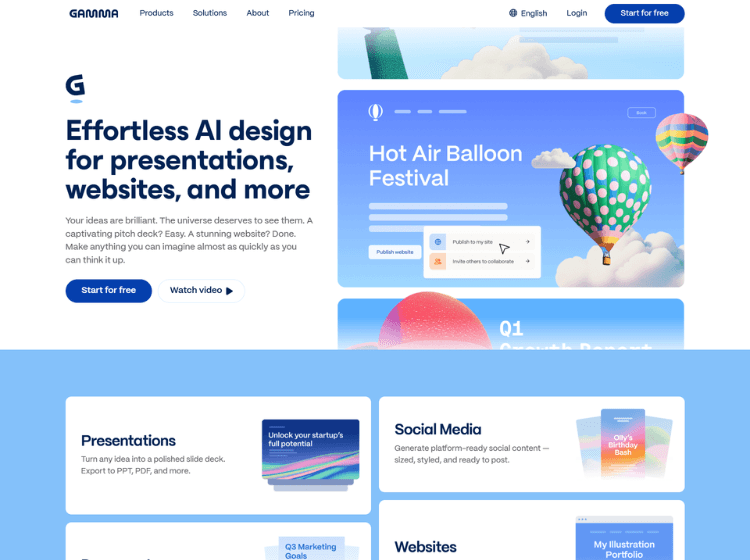
Gamma AI is an AI-powered content creation platform designed to help individuals and teams build presentations, documents, websites, and other visual content faster. Instead of starting with blank slides, users can describe their ideas in natural language, import existing content, or upload files to generate structured, visually appealing outputs.
The platform combines AI writing, layout generation, image creation, and design assistance into a single workspace. Users can customize themes, edit content with AI, embed multimedia, collaborate with teammates, and publish or export their work in multiple formats.
Gamma also supports importing PDFs and PowerPoint presentations, making it easier to update or redesign existing materials. Whether creating business proposals, educational content, reports, landing pages, or internal documentation, Gamma streamlines the content creation process while reducing manual formatting and design work.
It is suitable for professionals, educators, students, marketers, startups, and teams looking for an efficient way to communicate ideas visually.
Key Features of Gamma AI
- AI-powered presentation, document, and webpage generation
- Create content from prompts, text, PDFs, or PowerPoint files
- AI writing assistance and content editing tools
- Collaboration, sharing, publishing, and analytics features
- Export to PDF, PowerPoint, PNG, and Google Slides
How to Use Gamma AI: Step-by-Step
Here are the simple steps to start using the Gamma.app platform.
Step 1: Create an Account – Visit Gamma’s website and sign up using your email or an existing account.
Step 2: Start a New Project – Choose whether you want to create a presentation, document, website, or another type of content.
Step 3: Enter Your Prompt – Describe your topic, paste existing text, or upload a document such as a PDF or PowerPoint.
Step 4: Generate Content – Gamma automatically creates a structured draft with layouts, text, visuals, and formatting.
Step 5: Customize – Edit text, rearrange sections, change themes, insert images, embed videos, charts, or other media.
Step 6: Collaborate – Invite teammates to review or edit the project together.
Step 7: Publish or Export – Share using a link or export your work as PDF, PowerPoint, PNG, or Google Slides.
Use Cases of Gamma AI
- Create business presentations and pitch decks
- Build reports, proposals, and documentation
- Design landing pages and simple websites
- Develop educational lessons and course materials
- Produce marketing and sales content
Target Audience
- Business professionals
- Marketing teams
- Sales teams
- Students
- Teachers and educators
- Startup founders
- Consultants
- Content creators
- Product managers
- Agencies
Gamma AI Pricing
Gamma offers multiple subscription plans:
1. Free Plan – ₹0 [For simple projects and getting to know Gamma]
2. Plus – ₹400/ seat / month [For extra AI power and removing Gamma branding]
3. Pro – ₹950/ seat / month [For premium AI models, API, and more customization]
4. Ultra – ₹7,833.25/ seat / month [For 20× more AI usage and unlocking access to the most advanced models]