Prezi AI Presentation Maker
What is Prezi AI: Overview
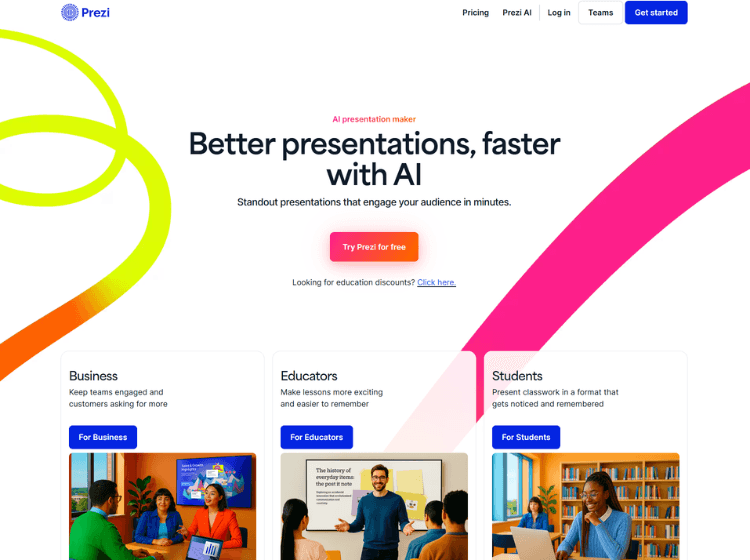
Prezi is a cloud-based visual communication platform designed for creating presentations, videos, and infographics. Unlike traditional slide-based tools, it enables users to organize content in a dynamic format that supports visual storytelling and interactive navigation.
The platform includes AI-powered presentation generation, AI image creation, text transformation tools, PowerPoint import capabilities, presentation recording, and live presenting features. Users can also access templates, premium visual assets, advanced image editing tools, and privacy controls for content sharing.
For business users, Prezi offers analytics, branding tools, collaboration features, and integrations that help teams create and manage presentations at scale. Educational plans provide additional options tailored for students, teachers, and academic institutions.
Prezi can be used for business presentations, online meetings, educational lessons, project reports, and marketing materials. The platform is available through both web and desktop applications, depending on the selected plan.
Key Features of Prezi
- AI-powered presentation generation and content creation
- PowerPoint import and conversion tools
- Presentation recording and video presentation capabilities
- Interactive presentations with visual storytelling layouts
- Team collaboration, analytics, and branding features for businesses
How to Use Prezi: Step-by-Step
Here are the simple steps to start using the Prezi platform.
Step 1. Create a Prezi account and choose a suitable plan.
Step 2. Start a new presentation, video, or infographic project.
Step 3. Select a template or generate content using Prezi AI.
Step 4. Add text, visuals, images, and presentation elements.
Step 5. Customize layouts, navigation paths, and branding.
Step 6. Import existing PowerPoint files if needed.
Step 7. Record, present live, or share your presentation online.
Step 8. Export supported formats where available under your plan.
Use Cases of Prezi
- Business presentations and sales pitches
- Educational lessons and classroom teaching
- Online meetings and virtual presentations
- Marketing reports and campaign presentations
- Data visualization and infographic creation
Target Audience of Prezi
- Business professionals
- Sales teams
- Educators and teachers
- Students
- Marketing teams
- Consultants
- Corporate trainers
- Project managers
Prezi Pricing
Here are the pricing plans of Prezi
1. Individual Plans
- Basic – Free
- Standard – $7/month (billed annually)
- Plus – $19/month (billed annually)
- Premium – $29/month (billed annually)
2. Business Teams
- Teams – $39/user/month (billed annually)
3. Education Plans
- EDU Plus – $4/month
- EDU Pro – $8/month
- EDU Teams – $19/user/month