WayinVideo - AI Video Platform
What is WayinVideo: Overview
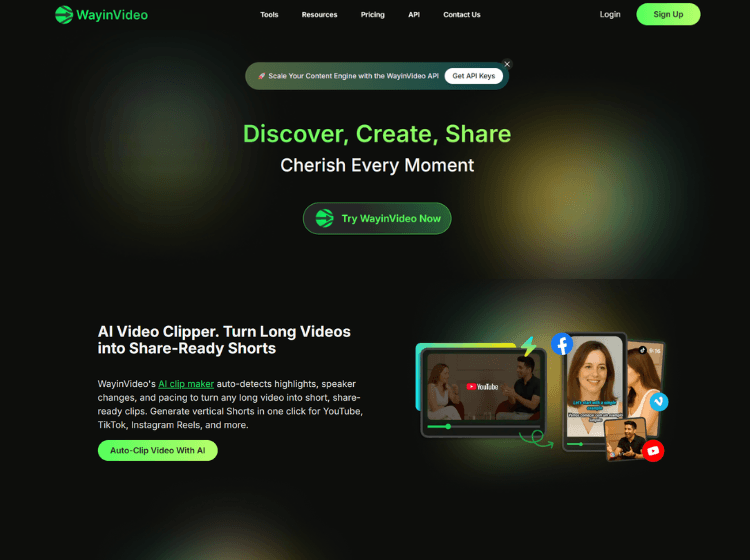
Wayin AI is an AI video platform focused on simplifying video editing, clipping, transcription, summarization, and content repurposing. The platform allows creators, marketers, educators, and businesses to transform long-form videos into short-form social content using automated AI workflows.
The tool includes AI-powered video clipping, transcript generation, animated captions, auto-reframing, and multilingual subtitle support. Users can upload videos directly or paste links from platforms like YouTube, Twitch, Zoom, and podcasts. Wayin AI automatically detects highlights, creates shareable clips, and generates timestamped summaries.
The platform also provides text-based video editing, allowing users to edit videos through transcripts instead of traditional timelines. Additional features include AI B-roll generation, social media scheduling, thumbnail generation, and API access for workflow automation. Wayin AI supports exports optimized for TikTok, Instagram Reels, YouTube Shorts, and other platforms.
Key Features of WayinVideo
- AI video clipping for converting long videos into short-form content
- AI-generated subtitles, captions, and multilingual transcription
- Video summarization with timestamped key moments
- AI auto-reframe for vertical and social media formats
- API integration for automated video processing workflows
How to Use WayinVideo: Step-by-Step
Here are the simple steps to start using the Wayin.ai platform.
Step 1. Visit Wayin AI Official Website
Step 2. Create a free account or log in to the platform
Step 3. Upload a video file or paste a video URL from YouTube, Zoom, Twitch, or podcasts
Step 4. Allow the AI system to process the video and generate transcripts, clips, or summaries
Step 5. Choose the desired feature such as clipping, captioning, reframing, or summarization
Step 6. Edit generated clips using the text-based editor or timeline editor
Step 7. Add subtitles, animated captions, or AI-generated B-roll if needed
Step 8. Export the final video in the required format and aspect ratio
Step 9. Publish directly to social media platforms or schedule posts through the platform
Use Cases of Wayin AI
- Repurposing podcasts into short-form social clips
- Creating subtitles and captions for marketing videos
- Summarizing educational lectures and webinars
- Generating searchable transcripts for interviews and meetings
- Automating short video creation for social media content teams
Target Audience
- Content creators
- YouTubers and podcasters
- Social media marketers
- Educators and trainers
- Agencies and media teams
- Businesses managing video marketing campaigns
Wayin AI Pricing
1. Free – Free plan available
2. Standard – Starts at $4.99/month billed yearly (1,500 Credits/month)
3. Pro – Starts at $9.58/month billed yearly (3,500 Credits/month)
4. Pro+ – Starts at $69.99/month billed yearly (20,000 Credits/month)
5. Enterprise – Custom pricing
6. API Access – Available separately