Replit AI App Builder Platform
What is Replit: Overview
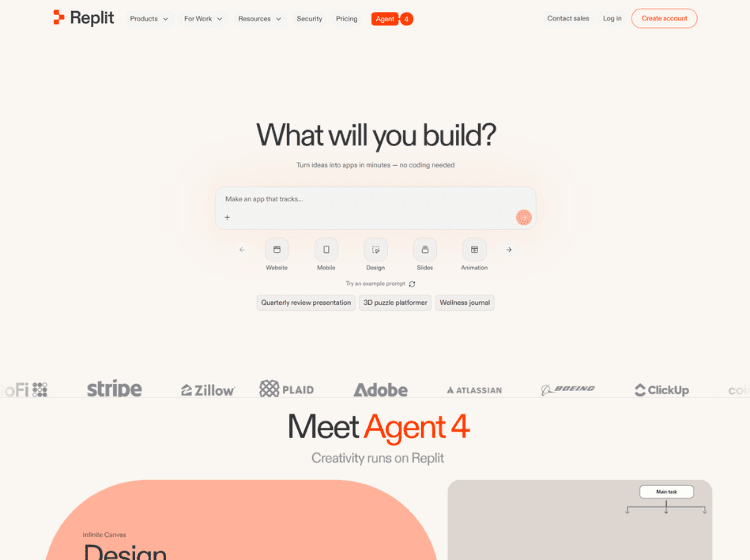
Replit is a browser-based software development platform designed to simplify the process of building and deploying applications. Users can create projects without installing programming languages, frameworks, or development tools locally. The platform provides a cloud-based coding environment, real-time collaboration features, integrated hosting, and AI-powered development assistance.
A core component of the platform is Replit Agent, an AI assistant that helps users generate code, debug issues, create project structures, and accelerate application development using natural language instructions. Replit also includes project management tools, version control integrations, database support, deployment capabilities, and workspace management for individuals and teams.
Developers can import existing projects from platforms such as GitHub, build applications from scratch, or generate prototypes through AI-assisted workflows. The platform supports publishing applications directly to the cloud and connecting custom domains. Replit is suitable for learning, rapid prototyping, product development, and collaborative software projects.
Key Features of Replit
- AI-powered coding assistant (Replit Agent) for code generation, debugging, and app creation.
- Browser-based IDE with no local installation required.
- Real-time collaboration for teams and shared projects.
- Built-in cloud hosting and one-click deployment.
- Database integration, version control support, and external service integrations.
How to Use Replit: Step-by-Step
Here are the simple steps to start using the Replit platform.
Step 1: Create an Account – Visit Replit’s website and sign up for a free account.
Step 2: Start a New Project – Create a new project by selecting a template or describing your application idea to Replit Agent.
Step 3: Build with AI – Use natural language prompts to generate code, create project structures, or implement features.
Step 4: Edit and Test – Use the browser-based code editor to modify code, preview applications, and test functionality.
Step 5: Add Databases and Integrations – Connect databases, APIs, payment services, or third-party tools as needed.
Step 6: Collaborate – Invite team members to work on the project in real time.
Step 7: Deploy – Publish your application directly from Replit’s platform.
Step 8: Share – Share the deployed application using a public URL or connect a custom domain.
Use Cases of Replit
- Building web applications with AI assistance.
- Learning programming and software development.
- Rapid prototyping of startup ideas.
- Team-based software collaboration.
- Deploying and hosting full-stack applications in the cloud.
Target Audience of Replit
- Software Developers
- Startup Founders
- Product Teams
- Students and Educators
- Indie Hackers
- Technical Entrepreneurs
- Freelance Developers
- Development Agencies
Replit Pricing
1. Starter – Free
2. Replit Core – $20/month (annual billing)
3. Replit Pro – $95/month (annual billing)
4. Enterprise – Custom Pricing