OpenClaw Personal AI Assistant
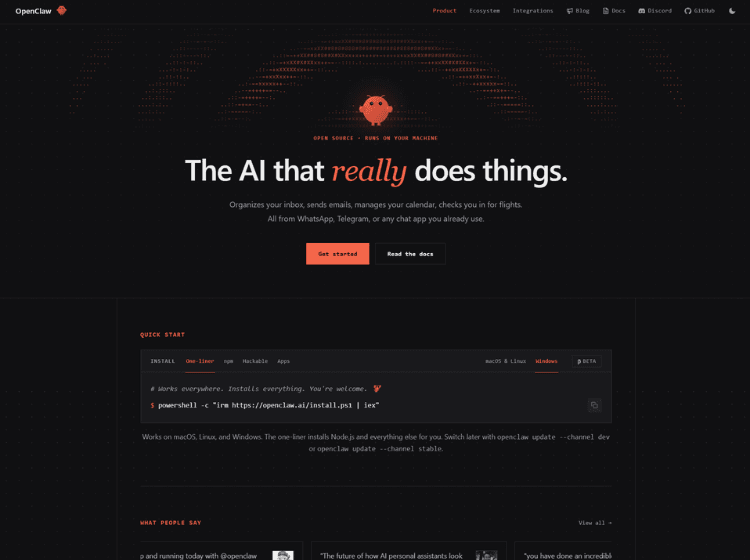
What is OpenClaw: Overview
OpenClaw AI is an open-source personal AI assistant designed to help users automate everyday digital tasks through the messaging apps they already use. Rather than functioning as a traditional chatbot, OpenClaw can perform actions such as clearing inboxes, sending emails, managing calendars, and assisting with workflow automation.
The platform runs on the user’s own devices, giving users greater control over deployment and integrations. It supports communication through popular chat applications, enabling users to interact with their assistant without changing their existing workflow. OpenClaw also provides installation options for different operating systems and supports developers who want to customize or extend its functionality.
Because it is open source, users can adapt the platform to their own requirements while integrating their preferred AI models and tools. OpenClaw is suitable for individuals and developers looking to build a self-hosted AI assistant capable of executing practical tasks instead of only generating text.
Key Features of OpenClaw AI
- Open-source personal AI assistant
- Runs on your own devices for greater deployment control
- Supports messaging apps including WhatsApp and Telegram
- Automates tasks such as email management and calendar scheduling
- Developer-friendly installation and customization options
How to Use OpenClaw AI: Step-by-Step
Here are the simple steps to start using the OpenClaw platform.
Step 1: Visit the official OpenClaw website.
Step 2: Choose the installation method that matches your operating system or preferred package manager.
Step 3: Install OpenClaw using the provided installer or command-line instructions.
Step 4: Configure your preferred AI model and required integrations.
Step 5: Connect OpenClaw to supported messaging platforms such as WhatsApp or Telegram.
Step 6: Grant access to services you want the assistant to manage, such as email or calendar.
Step 7: Start interacting with OpenClaw through your preferred chat application to automate tasks.
Step 8: Customize or extend functionality if needed using the project’s open-source framework.
Use Cases of OpenClaw AI
- Managing email inboxes
- Scheduling and organizing calendars
- Automating repetitive personal workflows
- Building self-hosted AI assistants
- Creating customized AI automation projects
Target Audience
- Developers
- AI enthusiasts
- Technical professionals
- Productivity-focused individuals
- Open-source software users
- Users interested in self-hosted AI assistants
OpenClaw AI Pricing
The pricing of OpenClaw AI is not publicly disclosed.