Flair AI Product Photo Generator
What is Flair AI: Overview
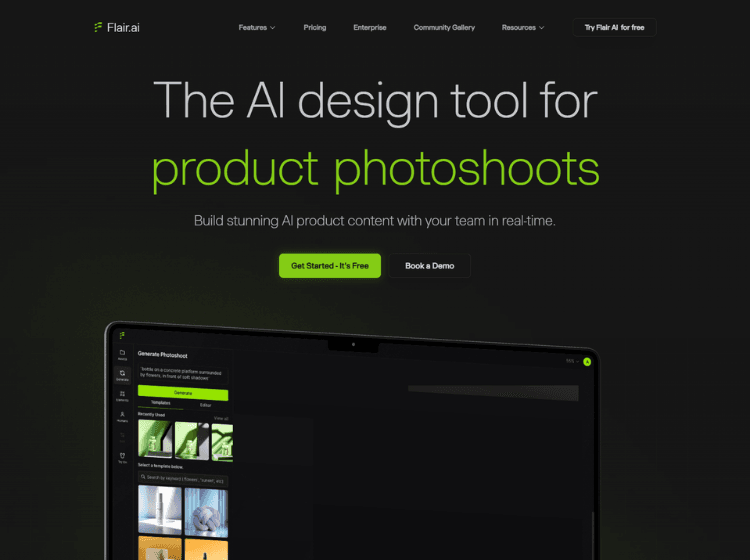
Flair AI is a visual content creation platform that helps businesses produce product photography, marketing assets, fashion imagery, and promotional content without traditional studio setups. The platform combines AI image generation, editing tools, custom AI models, product staging, and collaborative design capabilities within a drag-and-drop workspace.
Users can upload product photos, place them into customizable scenes, and generate branded visuals using AI-powered workflows. The platform supports product photography, AI fashion photoshoots, AI-generated human models, product videos, advertising creatives, and bulk content generation. Flair AI also includes editing features such as image upscaling, background regeneration, image variations, and object removal.
The platform is primarily aimed at ecommerce brands, online retailers, agencies, and marketing teams that need large volumes of visual content while maintaining brand consistency. Teams can collaborate in real time, reuse templates, and create scalable creative assets for websites, advertisements, social media campaigns, and product catalogs.
Key Features of Flair AI
- AI Product Photography for creating branded product images.
- Drag-and-Drop Canvas with customizable props and scene elements.
- AI Human Models for generating and customizing virtual models.
- AI Ad Generation for creating marketing creatives and advertisements.
- AI Product Videos, image editing, upscaling, and variation generation tools.
How to Use Flair AI: Step-by-Step
Here are the simples steps to start using the Flair.ai platform.
Step 1: Create an Account – Visit the Flair AI website and sign up for an account.
Step 2: Upload Product Images – Add your product photos to the platform’s workspace.
Step 3: Build a Scene – Use the drag-and-drop canvas to place products, backgrounds, props, and visual elements.
Step 4: Customize the Design – Describe the desired scene or select templates and styling options to generate visuals.
Step 5: Generate AI Content – Create product photos, marketing assets, AI fashion imagery, or advertisements using the AI tools.
Step 6: Edit and Refine – Use editing features such as image variations, background regeneration, Magic Erase, and upscaling to improve results.
Step 7: Export Assets – Download finished images or videos for use in ecommerce stores, social media, advertising campaigns, and marketing materials.
Step 8: Collaborate with Teams – Share projects, templates, and assets with team members for collaborative content production.
Use Cases of Flair AI
- Ecommerce product photography
- Fashion and apparel photoshoots
- Product advertising creative generation
- Social media content creation
- Product catalog and marketplace image production
Target Audience of Flair AI
- Ecommerce brands
- Shopify store owners
- Digital marketers
- Creative agencies
- Product photographers
- Fashion brands
- Content creation teams
- DTC (Direct-to-Consumer) businesses
Flair AI Pricing
1. Basic – Free
2. Pro – $10/month (monthly billing)
3. Pro+ – $35/month (monthly billing)
4. Scale – $55/month (monthly billing)
5. Enterprise – Custom Pricing
6. Annual Plans – Available