Fathom AI Meeting Assistant
What is Fathom AI: Overview
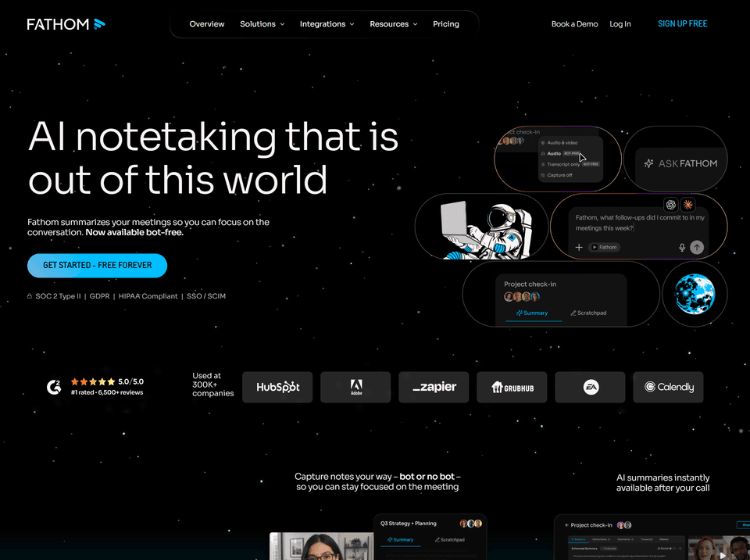
Fathom AI is an AI-powered meeting assistant designed to help professionals capture, organize, and retrieve information from virtual meetings. It automatically records meetings, creates accurate transcripts, generates AI-powered summaries, identifies action items, and enables users to search across previous conversations.
The platform supports multiple meeting platforms and offers flexible recording options, including bot-free capture for eligible workflows. It also integrates with CRM systems and productivity tools, allowing meeting insights to flow into existing business processes.
Beyond transcription, Fathom AI helps teams extract important decisions, customer feedback, objections, and discussion points from meeting history using AI-powered search. Users can also create reusable prompts and customized meeting summaries tailored to different business functions such as sales, customer success, product, and operations.
The platform is suitable for individuals and organizations looking to reduce administrative work while maintaining detailed, searchable meeting documentation.
Key Features of Fathom AI
- AI-powered meeting recording, transcription, and summaries
- Automatic action item extraction after meetings
- Search across previous meetings using AI
- Bot-free and standard meeting capture options
- Integrations with CRM and productivity platforms
How to Use Fathom AI: Step-by-Step
Here are the simple steps to start using the Fathom.ai platform.
Step 1 – Create a Fathom AI account and install the desktop application or connect your preferred meeting platform.
Step 2 – Connect your calendar so upcoming meetings are automatically detected.
Step 3 – Choose your preferred meeting capture method, including bot-free recording where supported.
Step 4 – Join or start your online meeting as usual.
Step 5 – Allow Fathom AI to record and transcribe the conversation automatically.
Step 6 – Review the AI-generated transcript, meeting summary, and action items after the meeting ends.
Step 7 – Search previous meetings, ask questions about conversations, or share meeting summaries with your team.
Step 8 – Connect CRM or productivity tools to automatically sync meeting insights into your workflow.
Use Cases of Fathom AI
- Automating meeting notes and summaries
- Capturing sales and customer discovery calls
- Documenting project and team meetings
- Tracking action items and follow-ups
- Creating searchable knowledge from conversations
Target Audience
- Sales teams
- Customer success teams
- Business professionals
- Remote and hybrid teams
- Project managers
- Startup founders
- Consultants
- Operations teams
Fathom AI Pricing
1. FOR INDIVIDUALS
- Free – $0 Free forever
- Premium – $16 /month / per user
- Team – $15 /month / per user
2. FOR TEAMS
- Team – $15 /month / per user
- Business – $25 – /month / per user
- Enterprise – Talk to sales