Ebi AI Conversational Platform
What is Ebi AI: Overview
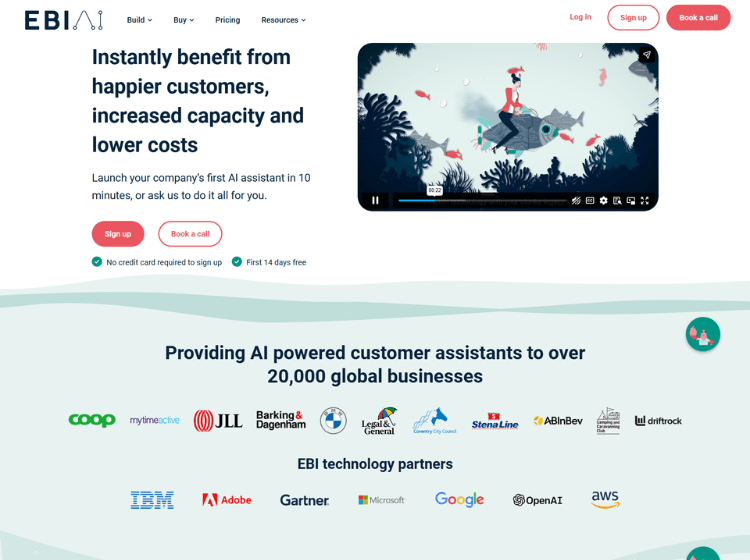
Ebi AI is an AI assistant platform designed to help organizations automate customer service, employee support, and business communications. The platform enables users to create AI assistants using website content, uploaded documents, and custom business data. Businesses can deploy assistants across websites, messaging platforms, mobile apps, and other digital channels from a centralized management system.
The platform includes generative AI capabilities, multilingual support across more than 130 languages, live chat escalation, analytics dashboards, and API integrations. Ebi AI also provides content management tools that allow teams to review, edit, approve, and refine AI-generated responses before deployment. Security and compliance features are designed to support businesses operating in regulated industries.
Ebi AI is used across sectors such as retail, finance, travel, government, property, and e-commerce to reduce support workloads, improve response times, and deliver automated assistance around the clock.
Key Features of Ebi AI
- Multi-channel AI assistant deployment across websites, messaging apps, mobile apps, SMS, and phone systems.
- Generative AI powered responses with GPT-based models and built-in safeguards.
- Support for more than 130 languages for global customer interactions.
- Live chat handover that transfers complex conversations to human agents.
- Analytics, conversation tracking, and API integrations for workflow automation.
How to Use Ebi AI: Step-by-Step
Here are the simple steps to start using the Ebi.ai platfrom.
Step 1: Create an Account – Sign up on the Ebi AI platform and start with the available free trial.
Step 2: Build Your AI Assistant – Enter your website URL or upload business documents to create an AI assistant trained on your content.
Step 3: Customize Branding – Choose the assistant’s name, avatar, colors, logo, and conversation style to match your brand.
Step 4: Configure Responses – Review generated answers, edit content, add suggested responses, and control messaging before going live.
Step 5: Connect Channels – Deploy the assistant to websites, messaging apps, mobile apps, or other supported channels.
Step 6: Enable Integrations – Connect CRM, helpdesk, workflow, or business tools through available integrations and APIs.
Step 7: Monitor Performance – Use analytics dashboards and conversation logs to improve AI accuracy and customer experience over time.
Use Cases of Ebi AI
- Customer support automation for websites and digital channels.
- Multilingual customer service for international businesses.
- Employee knowledge base and internal support assistant.
- Lead generation and customer engagement workflows.
- Automated enquiry handling for government, finance, retail, and travel organizations.
Target Audience of Ebi AI
- Customer support teams
- E-commerce businesses
- Enterprises and large organizations
- Government agencies
- Financial services companies
- Travel and hospitality businesses
- SaaS companies
- Operations and digital transformation teams
Ebi AI Pricing
1. Free Trial – 14-day free trial available
2. Starter – £49/month (A simple way to try AI assistants in real conversations)
3. Standard – £99/month (For teams that want a reliable AI assistant to handle everyday enquiries)
4. Pro – £149/ month (For organisations with higher volumes and advanced reasoning)
5. Enterprise Plans – Custom pricing available