Cutout.Pro - AI Video and Image Editing
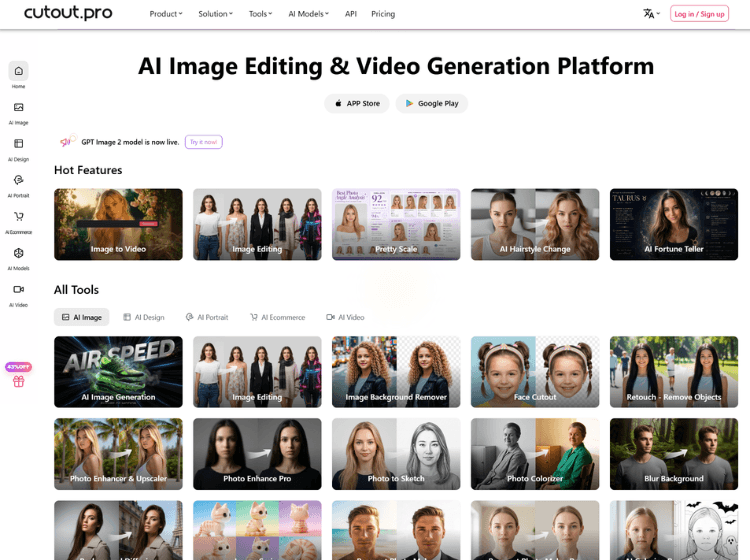
What is Cutout Pro: Overview
Cutout Pro is an AI-based visual content platform designed for image and video editing tasks. The platform provides a collection of tools for background removal, photo enhancement, AI image generation, video background removal, old photo restoration, passport photo creation, and creative design workflows. It uses artificial intelligence and computer vision technology to automate editing processes that traditionally require manual work.
The platform supports individuals, creators, photographers, e-commerce sellers, designers, and developers through both web-based tools and API integrations. Users can process images and videos with features such as object removal, image upscaling, photo colorization, cartoon effects, and AI-generated visuals. Cutout Pro also offers bulk editing capabilities and supports integration into apps and workflows through developer APIs.
In addition to image tools, the platform includes AI video generation, video enhancement, and background editing features intended for content creation and digital marketing workflows.
Key Features of Cutout Pro
- AI-powered image background removal
- Video background remover without green screen
- AI photo enhancer and image upscaler
- Passport and ID photo maker with preset dimensions
- API integration for automated image and video processing workflows
How to Use Cutout.pro (Step-by-Step)
Here are the simple steps to start using the Cutout.pro platform.
Step 1. Visit the Cutout Pro Official Website
Step 2. Select a tool such as Background Remover, Photo Enhancer, or AI Video Generator
Step 3. Upload your image or video file
Step 4. Allow the AI system to process the media automatically
Step 5. Preview the output and make adjustments if available
Step 6. Download the edited file in the supported format
Step 7. Optionally use APIs or plugins for workflow automation
Use Cases of Cutout Pro
- Creating transparent product images for e-commerce
- Enhancing low-quality or old photographs
- Removing backgrounds from marketing videos
- Generating passport and ID photos online
- Producing AI-generated social media visuals and creative content
Target Audience of Cutout Pro
- E-commerce businesses
- Graphic designers
- Photographers
- Social media creators
- Video editors
- Print-on-demand businesses
- Developers integrating AI editing APIs
- Marketing teams
Cutout Pro Pricing
- Free account available with limited free credits
- Subscription plans available based on monthly credits
- Pay-as-you-go credit system available
- Custom enterprise/API pricing available
- Video processing pricing available separately
Example pricing listed on the official site includes:
- 80 credits/month: ₹246.50
- 170 credits/month: ₹586.50
- 300 credits/month: ₹1096.50
Pricing may vary depending on usage and selected tools.