Crochets - AI Pattern Generator
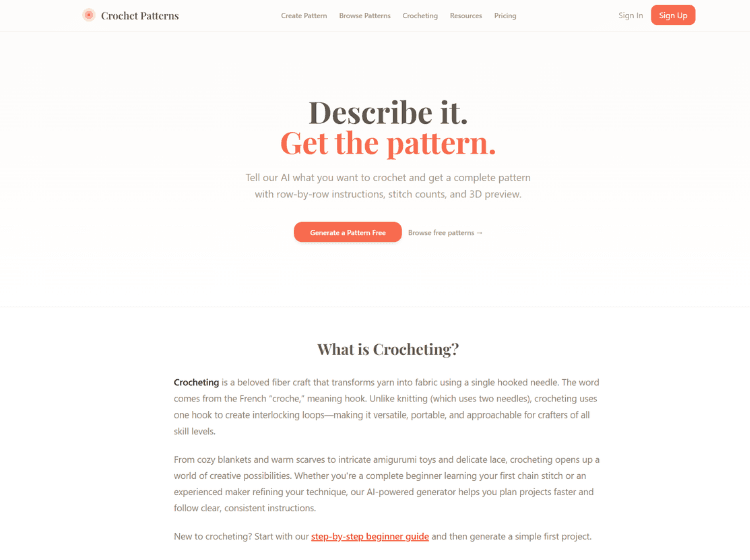
What is Crochets: Overview
Crochets is a web-based crochet pattern creation platform designed to simplify the process of planning and creating crochet projects. Users can describe a crochet idea in plain English, and the platform’s AI generates a complete pattern that includes materials, gauge information, abbreviations, stitch counts, and detailed row-by-row instructions. The platform also includes 3D visualization capabilities, allowing users to preview project shapes before starting.
Beyond pattern generation, Crochets offers educational resources for beginners and experienced crocheters alike. Users can access beginner guides, stitch tutorials, crochet tips, technique articles, yarn guides, hook size charts, and pattern browsing features. The platform supports a wide variety of project categories, including blankets, amigurumi, wearable accessories, home décor, baby items, and bags.
Crochets aims to make crochet pattern creation more accessible by combining AI-assisted design with practical learning resources and project-tracking tools.
Key Features of Crochets
- AI-powered crochet pattern generation from natural language descriptions.
- Detailed row-by-row instructions with stitch counts and notes.
- 3D pattern visualization for project previews.
- Progress tracking to mark completed rows and continue projects easily.
- Crochet learning resources, tutorials, guides, and stitch references.
How to Use Crochets: Step-by-Step
Here are the simple steps to start using the Crochets platform.
Step 1: Visit the Platform – Open the Crochets website and access the pattern generator.
Step 2: Describe Your Project – Enter a description of the crochet project you want to create, such as a blanket, beanie, toy, or accessory. Include details like size, yarn weight, and desired features.
Step 3: Generate the Pattern – The AI processes your description and creates a complete crochet pattern with:
- Materials list
- Gauge information
- Crochet abbreviations
- Row-by-row instructions
- Stitch counts
Step 4: Review the 3D Preview – Examine the generated 3D visualization to better understand the project shape before crocheting.
Step 5: Start Crocheting – Follow the generated instructions while working on your project.
Step 6: Track Progress – Mark completed rows and monitor your progress directly through the platform.
Use Cases of Crochets
- Creating custom crochet blanket patterns.
- Designing amigurumi toys and stuffed animals.
- Generating patterns for hats, scarves, and accessories.
- Developing home décor projects such as baskets and pillow covers.
- Learning crochet through beginner guides and stitch tutorials.
Target Audience of Crochets
- Beginner crocheters
- Hobbyists and DIY crafters
- Crochet pattern designers
- Handmade gift creators
- Crochet instructors and educators
- Amigurumi makers
- Home décor enthusiasts
- Crochet community members seeking custom patterns
Crochets Pricing
The website states users can start for free and mentions transparent pricing, and Pro plan starts from $9 per month.