AudoStudio AI Audio Cleaning
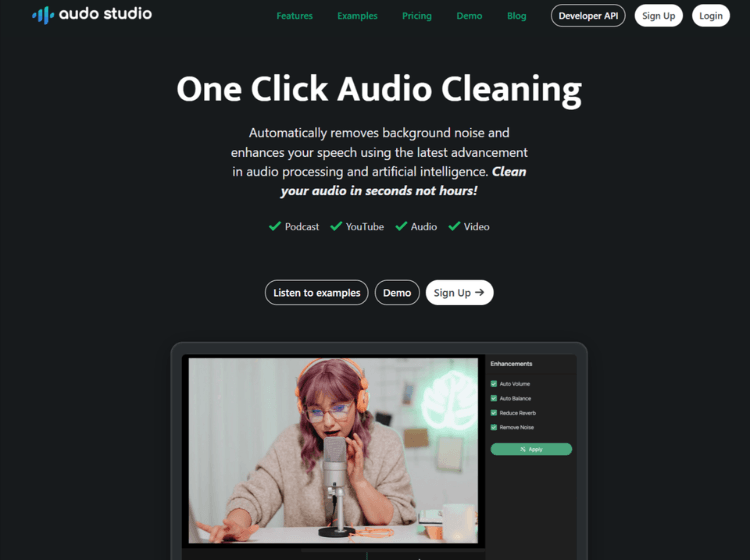
What is AudoStudio AI: Overview
Audo AI is an AI-powered audio enhancement tool that removes background noise, improves speech clarity, and balances volume automatically. Designed for creators, it simplifies audio editing with one-click processing, helping produce clean, professional-quality sound for podcasts, videos, and recordings without requiring advanced editing skills.
Key Features of AudoStudio AI
- AI-powered background noise removal
- Automatic volume leveling for consistent audio
- One-click audio cleaning process
- Browser-based platform (no installation required)
- Developer API for audio processing integration
How to Use AudoStudio AI (Step-by-Step)
Here are some easy steps to start using the Audo.ai platform.
Step 1. Visit the official Audo AI website.
Step 2. Upload your audio or video file.
Step 3. Click the enhancement or cleaning option.
Step 4. Let the AI process and remove noise automatically.
Step 5. Preview the improved audio.
Step 6. Download the cleaned file for use.
Use Cases of AudoStudio AI
- Cleaning podcast recordings
- Enhancing YouTube video audio
- Improving online course recordings
- Voiceover and narration enhancement
- Removing background noise from interviews
Target Audience of AudoStudio AI
- Podcasters
- YouTubers and video creators
- Online educators and course creators
- Audio editors and sound designers
- Developers integrating audio tools
AudoStudio AI Pricing
- Starter Plan: Free (For individuals who occasionally need audio enhancement)
- Creator Plan: $12/mo (For the creators who need to maximize productivity)
- Pay As You Go: $20 (One-time payment for 600 minutes of audio enhancements.)