Artificial intelligence is changing the way businesses work with data. Tasks that once took hours of cleaning spreadsheets, writing SQL queries, and building dashboards can now be handled in minutes with the right AI-powered platform. From uncovering hidden trends to generating instant reports and visualizations, modern AI data analysis tools are helping teams move faster and make smarter decisions.
But here’s the challenge: almost every analytics platform now claims to be “AI-powered.” Some tools genuinely improve workflows with conversational analytics, automated insights, and predictive modeling, while others simply add an AI chatbot on top of traditional software. That makes choosing the right platform harder than ever.
The best AI tools for data analysis are not just about the latest features. They need to handle messy datasets, simplify complex analysis, and deliver insights people can actually trust. Some are built for enterprise-scale business intelligence, while others are better for researchers, marketers, startups, or spreadsheet-heavy teams. The ideal choice depends on your workflow, technical expertise, collaboration needs, and budget.
In this guide, we compared and reviewed the 12 best AI tools for data analysis based on usability, automation features, integrations, visualization capabilities, pricing, and real-world performance. Whether you need a powerful BI platform, an AI spreadsheet assistant, or a tool that can turn raw data into actionable insights with simple prompts, this list will help you find the right fit for your needs.
How do AI Data Analytics Tools Work?
AI data analytics tools use machine learning, natural language processing (NLP), and automation to transform raw data into actionable insights. Instead of manually organizing spreadsheets or writing complex queries, these tools automate large parts of the analytics process and make data analysis more accessible.
Here’s how most AI data analytics tools work:
- Data Collection: AI tools gather data from multiple sources such as spreadsheets, databases, CRMs, cloud storage platforms, APIs, and business apps.
- Data Cleaning & Preparation: The system automatically removes duplicates, fixes formatting errors, identifies missing values, and organizes messy datasets for accurate analysis.
- Pattern Detection: Machine learning models scan the data to identify trends, anomalies, correlations, and hidden insights that may be difficult to spot manually.
- Predictive Analytics: Many platforms use historical data to forecast future outcomes like customer behavior, sales trends, revenue growth, or operational risks.
- Natural Language Queries: Modern AI analytics tools allow users to ask questions in plain English, such as:
- “What caused the revenue drop last month?”“Which marketing channel generated the highest ROI?”“What products are growing the fastest?”
- Automated Visualizations: AI platforms convert complex datasets into easy-to-understand charts, dashboards, graphs, and reports that simplify decision-making.
- Real-Time Monitoring: Some tools continuously track live data and send alerts when unusual activity, sudden changes, or performance issues are detected.
One of the biggest advantages of AI-powered analytics tools is speed and accessibility. They reduce the manual effort involved in traditional data analysis and help businesses make faster, smarter, and more data-driven decisions without requiring advanced technical skills.
What Makes the Best AI Tool for Data Analysis?
Not all AI data analytics tools are built the same. Some platforms focus on business intelligence and dashboard creation, while others specialize in predictive analytics, automation, or conversational data analysis. The best AI tool is the one that helps users analyze data faster, uncover meaningful insights, and simplify decision-making without adding unnecessary complexity.
Here are the key factors that separate great AI analytics tools from average ones:
1. Natural Language Queries: Modern AI tools allow users to ask questions in plain English instead of writing SQL queries or formulas. This makes analytics more accessible and speeds up reporting workflows.
2. Automation Capabilities: The best platforms automate repetitive tasks like:
- Data cleaning
- Report generation
- Trend detection
- ForecastingDashboard updates
3. Advanced AI & Machine Learning Features: Strong AI analytics tools go beyond charts and dashboards. They use machine learning to detect patterns, predict outcomes, identify anomalies, and generate actionable recommendations from complex datasets.
4. Data Integration Support: A reliable platform should connect with popular tools and databases like:
- Google Sheets
- ExcelSQL databases
- CRMs
- Cloud storage
- Marketing platforms
- APIs
5. Real-Time Analytics & Monitoring: Real-time reporting is essential for fast-moving businesses. The best tools continuously monitor incoming data and provide instant alerts when major changes or unusual activity occur.
6. Visualization & Reporting Features: AI-generated dashboards, charts, graphs, and visual reports make complex data easier to understand and share with teams or stakeholders.
7. Pricing & Value for Money: Expensive enterprise software is not always the best option. A strong AI analytics tool should balance features, usability, integrations, and pricing based on your specific needs and team size.
Ultimately, the best AI tool for data analysis depends on how you work with data. Some users need fast, no-code reporting tools, while others require advanced predictive modeling and AI-powered automation. The right platform should help you move from raw data to actionable insights as quickly and efficiently as possible.
Top 12 AI Data Analysis Tools [Tried and Tested]
Here are the best AI tools for data analysis that we tested, compared, and reviewed based on real-world usability, features, and performance.
| Tool | Best For | Key AI Features | Pricing |
|---|---|---|---|
| Julius AI | Conversational Data Analysis | Natural language queries, AI-powered insights, automated charts | Free Plan + Paid Plans from $20/month |
| Domo | Business Intelligence & Dashboards | AI dashboards, predictive analytics, real-time reporting | Custom Consumption-Based Pricing |
| Sisense | Embedded Analytics | AI-driven analytics, embedded BI, data fusion | Starts at $399/month |
| Databricks | Big Data & Machine Learning | AI modeling, data lakehouse, ML workflows | Usage-Based Pricing + Free Edition |
| Polymer | No-Code Analytics | AI dashboards, smart data visualization, automation | Starts at $5/month |
| KNIME Analytics Platform | Data Science Workflows | Visual workflows, AI integrations, automation | Free + Pro Plans from $19/month |
| Tableau | Advanced Data Visualization | AI insights, smart dashboards, predictive analytics | Starts at $15/user/month |
| DataRobot | Automated Machine Learning | AutoML, forecasting, predictive AI models | Custom Enterprise Pricing |
| Akkio | No-Code Predictive Analytics | Lead scoring, forecasting, AI automation | Custom Enterprise Pricing |
| Microsoft Power BI | Enterprise Business Intelligence | AI visuals, real-time analytics, natural language queries | Free + Paid Plans from $14/user/month |
| Luzmo | Embedded Analytics for SaaS | Custom dashboards, AI-powered reporting, integrations | Starts at €495/month |
| RapidMiner | AI & Predictive Modeling | Machine learning, automated analytics, workflow automation | Starts around $5,000/year |
1. Julius AI
Julius AI is an AI-powered data analysis platform designed to help users analyze datasets, generate visualizations, and extract insights using simple natural language prompts instead of complex formulas or SQL queries. The platform allows users to upload spreadsheets, connect databases, and ask questions in plain English to create charts, reports, forecasts, and summaries within seconds.
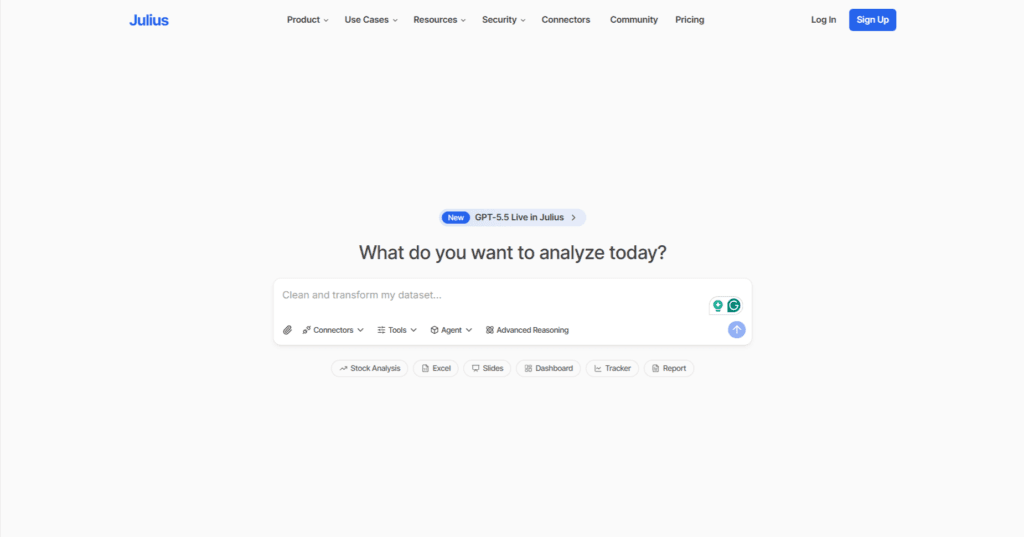
Julius AI is especially useful for marketers, researchers, analysts, startups, and business teams that want faster insights without needing advanced coding skills. Its notebook-style workspace, automated reporting, and AI-driven analytics make it a strong choice for users looking to simplify data workflows and improve productivity.
Features
- Natural language data analysis
- AI-generated charts and visualizations
- Spreadsheet and database integration
- Automated reporting and summaries
- AI notebooks for collaborative workflows
- Google Drive and cloud data connectors
- Predictive analytics and forecasting
- Real-time data querying
- Multi-format file uploads (CSV, Excel, PDFs, etc.)
- No-code analytics experience
Pricing
According to the official pricing page, Julius AI currently offers these plans:
- Free Plan – $0/month
Includes limited credits, notebooks, Google Drive connector, and basic analysis tools. - Plus Plan – Starts at $20/month
Offers more advanced AI analysis capabilities and increased usage limits. - Pro Plan – Starts at $40/month
Includes advanced AI features, larger memory capacity, live database connectors, and enhanced collaboration tools. - Enterprise Plan – Custom pricing
Designed for organizations needing enterprise-grade security, governance, and team collaboration features.
2. Domo
Domo is an AI-powered data analytics and business intelligence platform designed to help organizations turn raw data into real-time insights. It combines data integration, visualization, automation, and AI-driven analytics into a single platform, making it easier for teams to analyze large datasets without relying heavily on technical workflows.
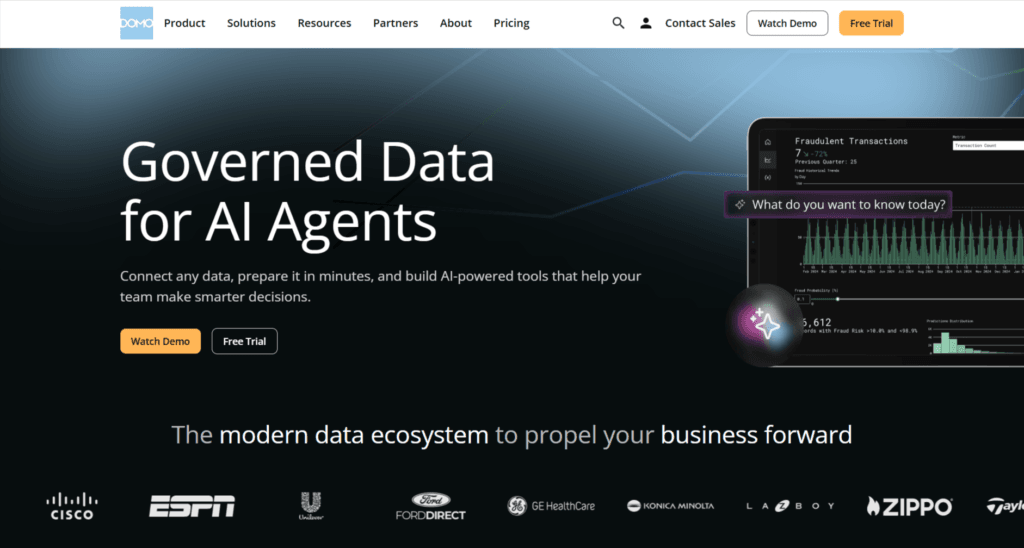
Domo stands out for its conversational AI capabilities, interactive dashboards, and enterprise-grade automation tools that simplify complex reporting tasks. Businesses can connect data from multiple sources, build custom workflows, and create AI-powered reports that improve decision-making across departments. It is widely used by enterprises looking for scalable analytics and centralized data management solutions.
Features
- AI-powered conversational analytics for faster insights
- Real-time dashboards and data visualization tools
- Connects with cloud apps, databases, APIs, and spreadsheets
- Automated workflows and alert systems
- AI-assisted data preparation and ETL tools
- Predictive analytics and forecasting capabilities
- Enterprise-grade security and governance features
- Embedded analytics and custom AI applications
- Collaboration and data-sharing tools for teams
- Supports low-code and no-code analytics workflows
Pricing
Domo uses a custom consumption-based pricing model instead of fixed public plans. Pricing depends on factors like:
- Number of users
- Data usage and storage
- AI operations and token usage
- Connectors and integrations required
- Enterprise support and implementation needs
The platform offers customized quotes through its sales team. Domo AI Pro features use additional consumption-based pricing for advanced AI operations and model usage. Businesses can request a personalized demo and pricing estimate directly from the official website.
3. Sisense
Sisense is an AI-powered business intelligence and embedded analytics platform designed for teams that need advanced data visualization, real-time reporting, and scalable analytics workflows. Unlike traditional BI tools that focus only on dashboards, Sisense combines AI-driven analytics, natural language querying, predictive insights, and embedded analytics capabilities into one platform.
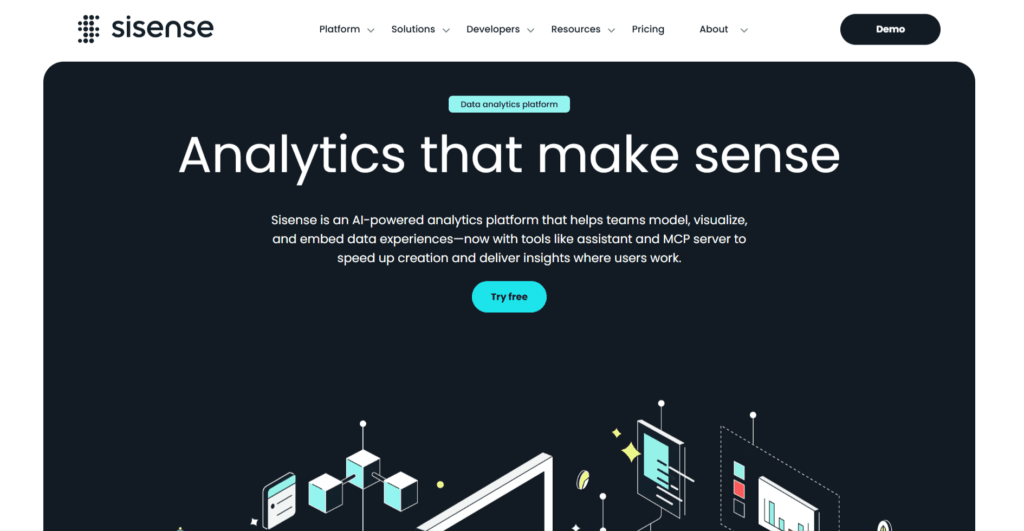
It supports pro-code, low-code, and no-code environments, making it suitable for developers, analysts, and business teams alike. Sisense also offers strong customization and white-label embedding features, allowing companies to integrate analytics directly into their products or internal workflows while maintaining full design flexibility and governance controls.
Features
- AI-powered analytics and predictive insights
- Natural language data querying with Sisense Intelligence
- Interactive dashboards and advanced data visualization
- Embedded analytics and white-label customization
- Real-time analytics and automated reporting
- Drag-and-drop dashboard builder
- API-first architecture for developers
- Data modeling and pipeline management tools
- Supports cloud, hybrid, and on-premise deployments
- Integration with multiple databases, warehouses, and business apps
- Role-based access controls and enterprise-grade security
- Forecasting, anomaly detection, and trend analysis
Pricing
Sisense offers multiple pricing tiers for embedded analytics and AI-powered BI solutions:
- Launch Plan: $399/month
Includes 20GB storage, 20K credits, 2 designer seats, and 50 viewer seats. - Grow Plan: $1,299/month
Includes 80GB storage, 50K credits, 5 designer seats, 100 viewer seats, white-label embedding, SSO, and advanced reporting features. - Scale Plan: Custom pricing
Designed for enterprise deployments with advanced security, auto-scaling, multi-tenant support, HIPAA readiness, and custom infrastructure options.
4. Databricks
Databricks is an AI-powered data analytics and lakehouse platform designed for data engineering, machine learning, and large-scale analytics. Built on Apache Spark, it helps businesses unify data processing, AI workflows, and business intelligence in a single workspace. The platform is widely used by enterprises for handling massive datasets, building AI models, automating ETL pipelines, and generating real-time insights.
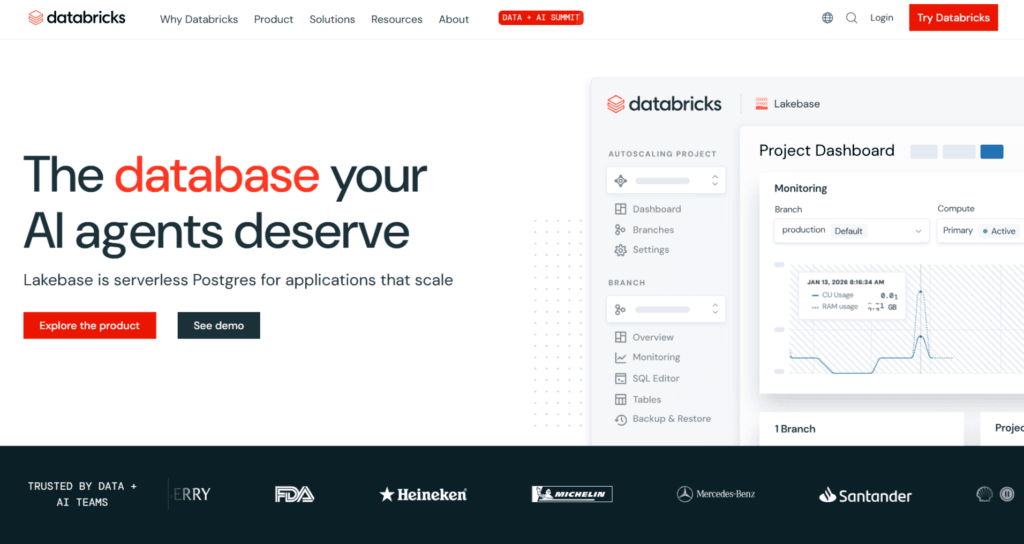
One of Databricks’ biggest strengths is its “Lakehouse” architecture, which combines the flexibility of data lakes with the performance of data warehouses. It also offers collaborative notebooks, built-in governance tools, and AI assistants that simplify analytics workflows for developers, analysts, and data teams.
Features
- Unified Lakehouse architecture for data engineering, analytics, and AI
- AI-powered analytics and machine learning workflows
- Real-time data processing and streaming support
- Collaborative notebooks for teams and developers
- Built-in support for Python, SQL, R, and Scala
- Automated ETL pipeline creation with Lakeflow
- Advanced data governance through Unity Catalog
- Natural language AI assistant with Databricks Genie
- Scalable cloud-based infrastructure for enterprise workloads
- Integration support for AWS, Azure, Google Cloud, and external databases
Pricing
Databricks uses a consumption-based pricing model where users pay based on Databricks Units (DBUs) and cloud infrastructure usage. Pricing varies depending on workload type, cloud provider, and subscription tier. Key pricing details include:
- Pay-as-you-go pricing with no upfront costs
- Per-second billing for compute workloads
- Free Edition available for learning and experimentation
- Pricing tiers include Standard, Premium, and Enterprise plans
- Additional costs apply for cloud infrastructure services (AWS, Azure, or GCP)
Databricks also provides a pricing calculator for estimating workload costs based on compute type and usage.
5. Polymer
Polymer is an AI-powered business intelligence and data analytics platform designed to simplify reporting, dashboard creation, and data visualization without requiring coding skills. The platform helps users transform spreadsheets, marketing data, and business metrics into interactive dashboards within minutes. One of Polymer’s standout features is its AI-driven analytics assistant, PolyAI, which allows users to ask questions in natural language and instantly generate insights or visualizations.
Polymer also supports multiple data connectors, automated reporting, and embedded analytics for businesses that want to integrate dashboards directly into their products or websites. Its clean interface and no-code approach make it especially useful for startups, marketers, agencies, and non-technical teams looking for faster data analysis workflows.
Features
- AI-generated dashboards and automated visualizations
- PolyAI conversational assistant for natural language queries
- No-code dashboard and report builder
- Interactive charts and customizable data visualizations
- Real-time and scheduled data syncing
- Supports integrations with Google Analytics, Shopify, Facebook Ads, Google Ads, CSVs, and spreadsheets
- White-label dashboard customization and branding
- Embedded analytics and API access for SaaS products
- AI-powered insights, summaries, and trend detection
- Collaborative sharing with unlimited viewer access on paid plans
Pricing
Polymer offers multiple pricing plans depending on features and team size:
- Basic: Starts at $5/month (billed yearly) or $10/month billed monthly
- Starter: Starts at $25/month (yearly billing) or $50/month billed monthly
- Pro: Starts at $50/month (yearly billing) or $100/month billed monthly
- Teams: Starts at $125/month (yearly billing) or $250/month billed monthly
- Enterprise: Custom pricing with API access, unlimited AI responses, and real-time syncing
Polymer also offers a free trial for new users.
6. KNIME Analytics Platform
KNIME is a powerful open-source AI data analytics platform designed for data preparation, automation, machine learning, and workflow-based analytics. Unlike traditional analytics tools that rely heavily on coding, KNIME uses a visual drag-and-drop interface that makes complex data workflows easier to build and manage.
It supports over 300 integrations, allowing users to connect databases, spreadsheets, APIs, cloud platforms, and machine learning libraries in one place. KNIME is widely used by data analysts, researchers, and enterprise teams for predictive analytics, reporting, and automation. Its low-code approach makes advanced data science workflows accessible to both technical and non-technical users.
Features
- Drag-and-drop workflow builder
- 300+ integrations and data connectors
- AI and machine learning workflow support
- Low-code and no-code analytics environment
- Data cleaning, transformation, and automation tools
- Integration with Python, R, and SQL
- Predictive analytics and forecasting capabilities
- Automated reporting and dashboard generation
- Real-time data processing support
- Collaboration and workflow sharing through KNIME Hub
- K-AI assistant for workflow suggestions and automation
- Supports cloud, on-premise, and hybrid deployments
Pricing
KNIME Analytics Platform is completely free and open-source for individual and commercial use. Users can build and run workflows locally without paying any licensing fees.
Additional paid plans include:
- KNIME Pro: Starts at $19/month with workflow automation, deployment tools, and 500 K-AI interactions included.
- KNIME Team Plan: Starts at $99/month for team collaboration and workflow sharing.
- KNIME Business Hub: Enterprise plan starts at approximately €35,000/year with advanced collaboration, governance, and deployment features.
7. Tableau
Tableau is one of the most widely used AI-powered business intelligence and data visualization platforms for enterprises and analytics teams. It combines advanced dashboards, real-time analytics, predictive insights, and AI-assisted data exploration in a single platform. With features like Tableau Agent and natural language queries, users can analyze complex datasets, generate visual reports, and uncover insights without relying heavily on coding.
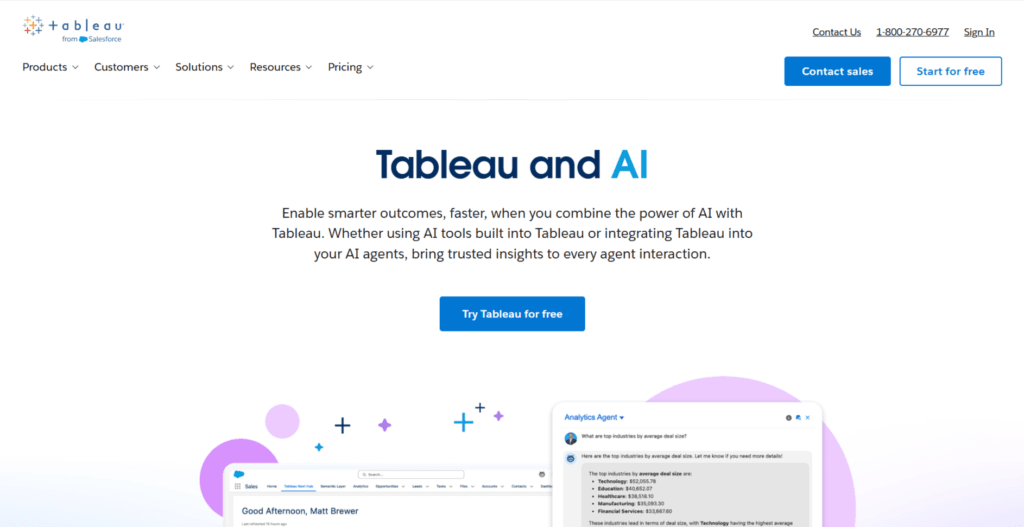
Tableau also integrates deeply with Salesforce and supports connections with databases, spreadsheets, cloud platforms, and business applications. Its drag-and-drop interface makes data visualization easier, while its enterprise-grade analytics capabilities make it a strong choice for organizations handling large-scale data workflows and reporting.
Features
- AI-powered analytics with Tableau Agent
- Natural language data queries and insights
- Interactive dashboards and visual reports
- Real-time data monitoring and alerts
- Predictive analytics and trend forecasting
- Drag-and-drop dashboard builder
- Supports cloud, on-premise, and hybrid deployments
- Integration with Salesforce, SQL databases, Excel, Google Sheets, APIs, and cloud platforms
- Automated data preparation and cleaning tools
- Enterprise-grade security, governance, and scalability
- AI-generated calculations, summaries, and recommendations
Pricing
Tableau offers role-based pricing plans for different types of users:
- Viewer: Starts at $15/user/month
- Explorer: Starts at $42/user/month
- Creator: Starts at $75/user/month
Enterprise plans and Tableau+ bundles with advanced AI capabilities are also available with custom pricing. A free trial is available for Tableau Cloud and selected AI features.
8. DataRobot
DataRobot is an enterprise-grade AI and machine learning platform designed to help businesses automate the entire data analysis and AI development process. It combines predictive analytics, generative AI, AutoML, and MLOps into a single platform, making it easier for teams to build, deploy, and monitor AI models at scale.
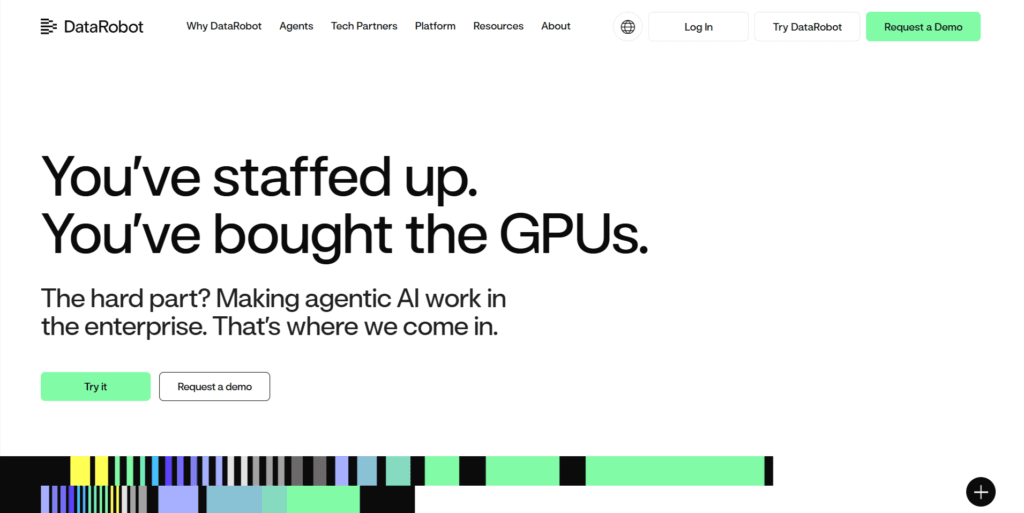
DataRobot is widely used by enterprises that need advanced analytics without spending months building machine learning infrastructure from scratch. The platform supports real-time predictions, automated model training, governance, and AI-driven insights across industries like finance, healthcare, retail, and manufacturing. Its no-code and low-code capabilities also make advanced AI workflows more accessible to non-technical teams.
Features
- Automated machine learning (AutoML) for faster model development
- Predictive analytics and forecasting capabilities
- Generative AI and AI application development tools
- Real-time model deployment and monitoring
- Built-in MLOps and AI governance features
- No-code and low-code AI workflows
- Advanced anomaly detection and risk analysis
- Natural language AI assistance for analytics
- Integration with cloud platforms, databases, and enterprise tools
- Scalable infrastructure for enterprise-level AI operations
Pricing
DataRobot does not publicly display fixed pricing plans on its official website. Pricing is customized based on factors like deployment type, number of users, AI workloads, and enterprise requirements.
Key pricing details include:
- Custom enterprise-based pricing model
- 14-day free trial available
- Cloud, hybrid, and on-premise deployment options
- Annual enterprise contracts available
- Pricing may vary depending on AI usage, deployments, and support requirements
Some third-party marketplace listings estimate pricing between £20,000 to £750,000 per year for enterprise licensing, depending on scale and features.
9. Microsoft Power BI
Microsoft Power BI is one of the most widely used AI-powered business intelligence and data visualization platforms for businesses of all sizes. It helps users connect, analyze, and visualize data from multiple sources through interactive dashboards and real-time reports. Power BI combines AI-driven insights, automation, and advanced analytics to simplify complex data analysis workflows.
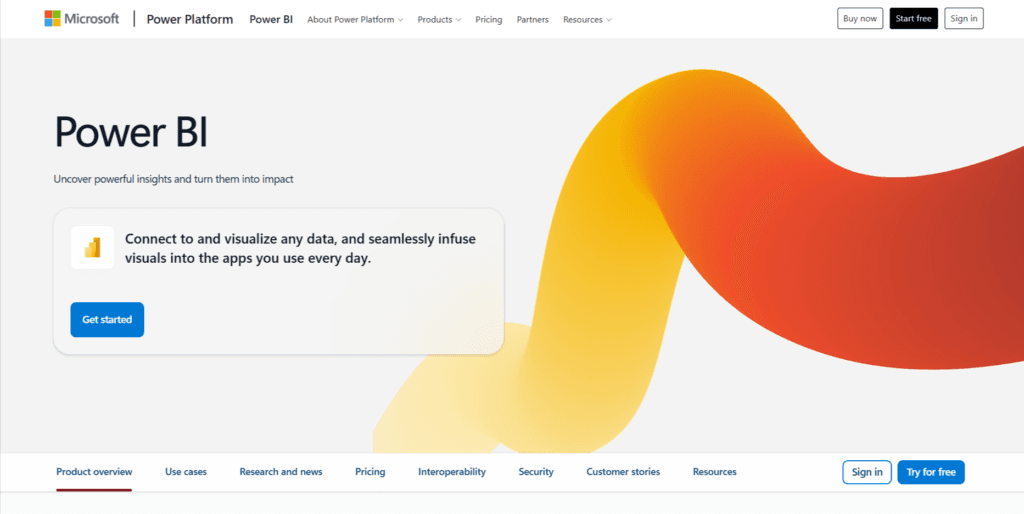
Users can ask questions in natural language, create automated reports, and uncover trends without deep technical expertise. The platform integrates seamlessly with Microsoft products like Excel, Azure, Teams, and SQL Server, making it a strong choice for organizations already working within the Microsoft ecosystem.
Features
- AI-powered data visualization and interactive dashboards
- Natural language query support for easier analytics
- Real-time data monitoring and reporting
- Integration with Excel, Azure, SQL Server, Teams, and hundreds of data sources
- Drag-and-drop dashboard builder
- Predictive analytics and machine learning capabilities
- Automated data refresh and report sharing
- Customizable visual reports and charts
- Enterprise-grade security and compliance features
- Cloud-based collaboration and team sharing tools
Pricing
- Power BI Free – Free for individual users with basic reporting features
- Power BI Pro – $14 per user/month
- Power BI Premium Per User – $24 per user/month
- Enterprise/Premium Capacity Pricing – Custom pricing based on organizational requirements and Microsoft Fabric capacity plans
10. Luzmo
Luzmo is an AI-powered embedded analytics platform designed for SaaS companies and product teams that want to integrate interactive dashboards directly into their applications. Instead of building analytics systems from scratch, Luzmo helps teams launch customer-facing dashboards, reports, and AI-driven insights much faster.
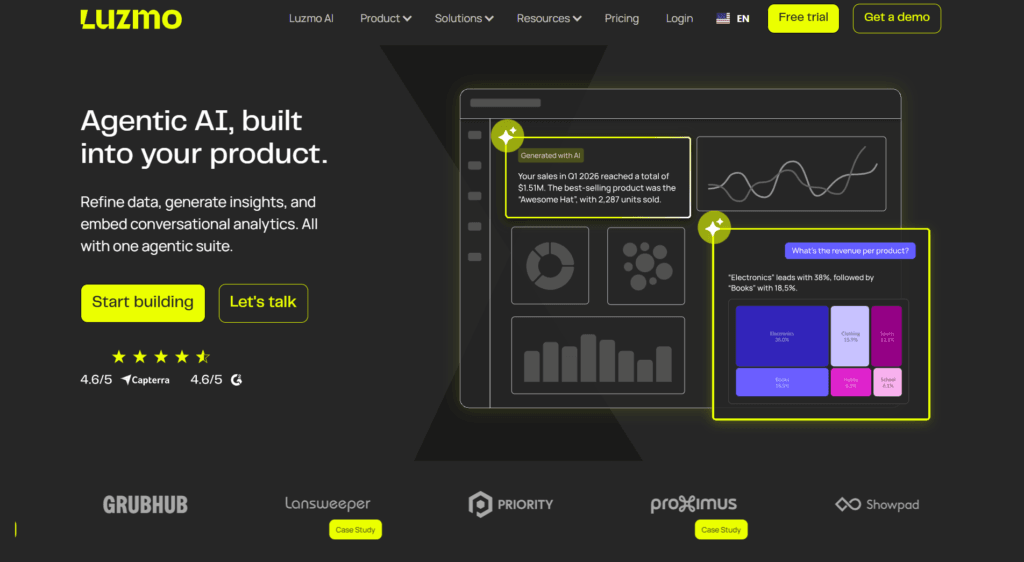
Its AI capabilities allow users to explore data using natural language queries, generate summaries, and create visual analytics without heavy technical work. The platform focuses heavily on customization, white-label analytics, and seamless integration, making it ideal for businesses that want analytics to feel like a native part of their product experience. Luzmo also supports real-time analytics, self-service dashboards, and scalable multi-tenant deployments.
Features
- AI-powered analytics and natural language data exploration
- Embedded dashboards for SaaS products and web applications
- Drag-and-drop dashboard builder
- Real-time analytics and reporting
- AI-assisted dashboard creation
- White-label and custom branding support
- Interactive charts and data visualizations
- API-first architecture for seamless integration
- Self-service analytics for end users
- Multi-tenant analytics support
- Dashboard exports in PDF, image, and table formats
- Role-based access and security controls
- Integration with databases, APIs, and cloud platforms
- Responsive dashboards for desktop and mobile devices
- Scheduled reports and automated alerts
Pricing
Luzmo pricing is based on Monthly Active Users (MAUs), allowing businesses to scale analytics usage as their platform grows. A free trial is also available.
- Starter €495/month (billed annually) Basic embedded analytics, drag-and-drop dashboards, responsive dashboards
- Premium €1995/month (billed annually) Advanced analytics, AI-assisted dashboarding, white-label support
- Enterprise Custom Pricing Dedicated infrastructure, enterprise security, flexible hosting, large-scale deployments
11. RapidMiner
RapidMiner, now part of Altair AI Studio, is a powerful AI and data analytics platform designed for businesses, analysts, and data scientists who want to build machine learning workflows without heavy coding. The platform combines data preparation, predictive analytics, AutoML, and model deployment into a single visual workspace.
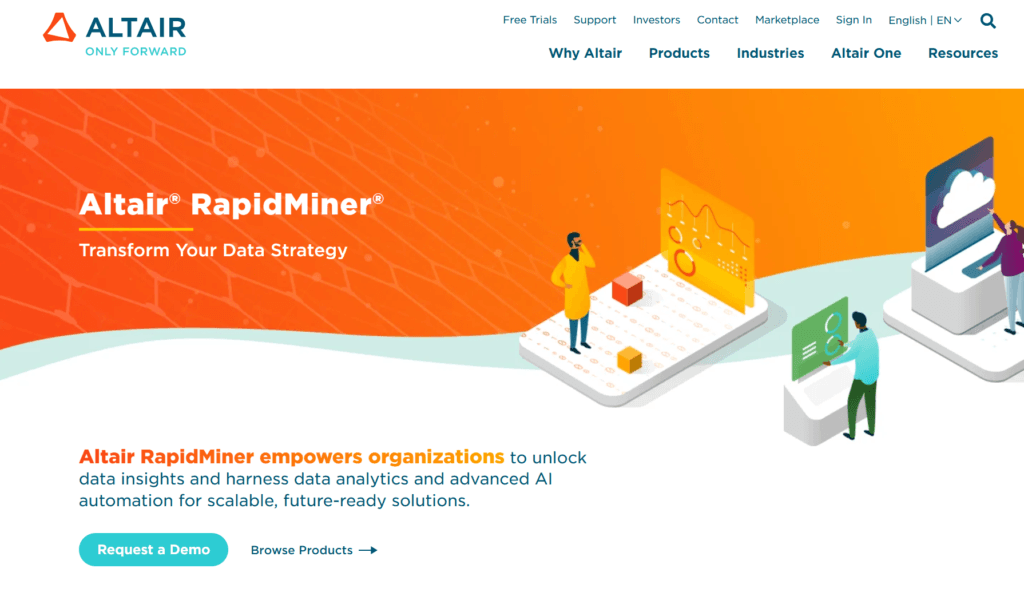
One of its biggest strengths is its drag-and-drop workflow builder, which makes complex data analysis easier for both beginners and advanced users. RapidMiner also supports generative AI workflows, real-time analytics, and integrations with multiple data sources. It is widely used for predictive modeling, business intelligence, customer analytics, and operational forecasting across industries.
Features
- Drag-and-drop visual workflow builder
- AI-powered predictive analytics and machine learning
- Automated machine learning (AutoML) tools
- Data cleaning and preparation tools
- Real-time analytics and monitoring
- Natural language and generative AI capabilities
- Integration with databases, cloud platforms, APIs, and spreadsheets
- Interactive dashboards and data visualization
- Workflow automation for repetitive analytics tasks
- Collaboration and enterprise deployment support
- Supports Python, R, and custom extensions
- Explainable AI models for transparent decision-making
Pricing
RapidMiner pricing is not fully public and mainly follows a custom enterprise licensing model through Altair. However, based on available pricing information:
- Professional Edition: Typically starts around $5,000–$10,000 per user/year
- Enterprise Edition: Around $10,000–$15,000 per year depending on deployment and features
- AI Hub / Enterprise Server Solutions: Can exceed $35,000+ annually for larger teams and enterprise-scale deployments
- Free Trial Available
- Student & Educational Versions: Available for free for non-commercial and academic use
12. Akkio
Akkio is a no-code AI data analytics platform designed to help businesses analyze data, build predictive models, and automate decision-making without requiring technical expertise. The platform focuses heavily on AI-powered forecasting, lead scoring, campaign optimization, and business intelligence workflows.
What makes Akkio stand out is its simplicity. Users can upload datasets, connect business tools, and create machine learning models in just a few clicks. It also supports conversational analytics, allowing teams to interact with data using natural language prompts. Akkio is particularly useful for marketing teams, agencies, analysts, and businesses looking to automate data-heavy workflows and uncover insights faster.
Features
- No-code predictive analytics
- AI-powered forecasting and trend prediction
- Natural language data analysis
- Automated lead scoring and prioritization
- Data cleaning and preparation tools
- Real-time dashboards and visual reporting
- Machine learning model creation without coding
- CRM and third-party platform integrations
- AI-driven anomaly detection
- Workflow automation for analytics tasks
- Fast model training and deployment
- Collaboration and enterprise-grade analytics support
Pricing
According to Akkio’s official pricing page, the platform currently offers custom enterprise pricing tailored for media agencies and enterprise analytics needs. Pricing depends on workflow requirements, integrations, deployment options, and usage scale. Enterprise plans include:
- Full access to Akkio’s AI analytics platform
- Advanced customization and integrations
- Premium 24/7 support
- Enhanced security and compliance features
- Flexible deployment options (SaaS or embedded infrastructure)
For exact pricing, users need to contact Akkio’s sales team directly.
If you want to discover the best AI tools without wasting hours searching, take a look at Pick AI. It’s built to help you quickly find, compare, and evaluate the latest AI solutions in one place. You’ll get access to in-depth reviews, handpicked AI courses, and step-by-step video guides that show how these tools actually work. On top of that, you can explore expert-backed recommendations tailored to different needs, making it easier to choose the right tools with confidence.
Final Note
AI data analytics tools are no longer just optional add-ons for large enterprises. They are becoming essential for businesses, marketers, analysts, startups, and teams that want to work smarter with data and make faster decisions. From automated reporting and predictive analytics to conversational data queries and real-time insights, these platforms are transforming how people interact with information.
The biggest advantage of modern AI analytics tools is accessibility. You no longer need advanced coding skills or a dedicated data science team to uncover valuable insights. Many of today’s platforms can automate complex workflows, simplify data visualization, and help users analyze large datasets with just a few clicks or prompts.
However, the “best” AI tool for data analysis depends entirely on your needs. Some platforms are better for business intelligence and dashboards, while others focus on machine learning, forecasting, automation, or no-code analytics. The right choice should align with your workflow, team size, integrations, technical expertise, and budget.
The tools compared in this guide each bring something different to the table, whether it’s advanced AI modeling, real-time analytics, collaborative reporting, or beginner-friendly automation. As AI continues to evolve, data analysis will become faster, more accurate, and far more accessible than traditional methods.
If you regularly work with data, investing in the right AI analytics platform can save countless hours, reduce manual work, and help you turn raw information into actionable insights much more efficiently.