Rectify AI SaaS Operations Platform
What is Rectify: Overview
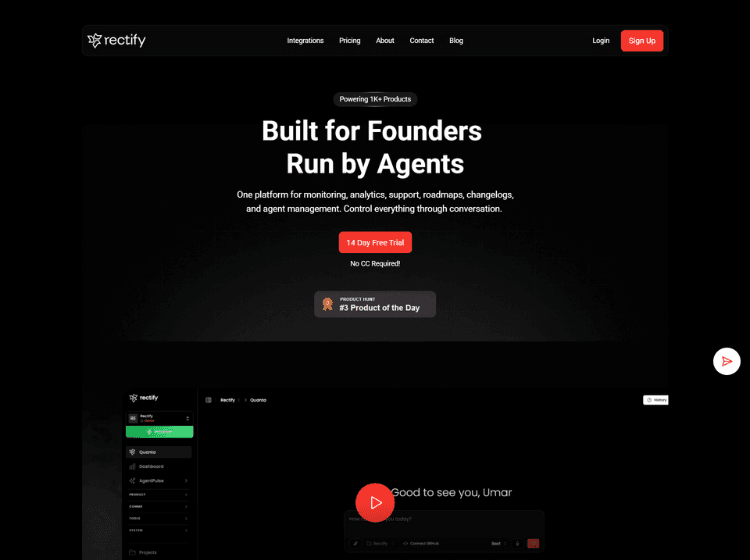
Rectify is an AI-powered operations platform designed for SaaS teams that want to manage product operations from a single interface. The platform combines session replay, uptime monitoring, bug reporting, customer feedback, support inbox, code scanning, roadmaps, changelogs, and workflow automation into one connected workspace.
A key component of Rectify is Quanta, an AI operations agent that enables users to perform tasks using natural language instead of navigating multiple dashboards. Teams can investigate user sessions, draft support responses, generate changelogs, review code scan results, monitor infrastructure, and manage product roadmaps through conversational commands.
Rectify also captures technical debugging data such as browser information, console logs, network requests, and annotated screenshots to simplify issue investigation. With integrations for development and collaboration workflows, the platform aims to centralize product operations while reducing context switching across multiple tools.
Key Features of Rectify
- AI-powered operations assistant (Quanta) for conversational task management
- Session replay with AI analysis to identify user issues and behavior
- Bug reporting with screenshots, recordings, console logs, and technical diagnostics
- Uptime monitoring, status pages, and incident management
- Code scanning, roadmap management, changelog generation, and workflow automation
How to Use Rectify: Step-by-Step
Here are the simple steps to start using the Rectify platform.
- Create a Rectify account and set up your workspace.
- Connect your product and supported integrations.
- Install the feedback widget or required SDK where applicable.
- Configure monitoring, code scanning, and project settings.
- Collect customer feedback, bug reports, and session recordings.
- Use Quanta to search sessions, investigate issues, generate changelogs, or manage operational tasks using natural language.
- Review insights from support, monitoring, roadmap, and code scanning in a centralized dashboard.
- Automate workflows based on events such as feedback, monitoring alerts, roadmap updates, or support activities.
- Track product health and collaborate with your team using the integrated tools.
Use Cases for Rectify
- Collecting user feedback and bug reports from SaaS applications
- Monitoring application uptime and service health
- Investigating user issues through AI-powered session replay
- Managing product roadmaps and publishing changelogs
- Automating support and operational workflows across product teams
Target Audience
- SaaS founders
- Product managers
- Engineering teams
- Customer support teams
- DevOps teams
- Startup companies
- Software development teams
Rectify Pricing
1. Idea – Free (For individuals just getting started with Rectify)
2. Build – $29/month (For individuals/small teams prototyping)
3. Build – $29/month (For individuals/small teams prototyping)
4. Accelerate – $99/month (For scaling businesses & complex needs)