ClickUp AI Work & Project Management
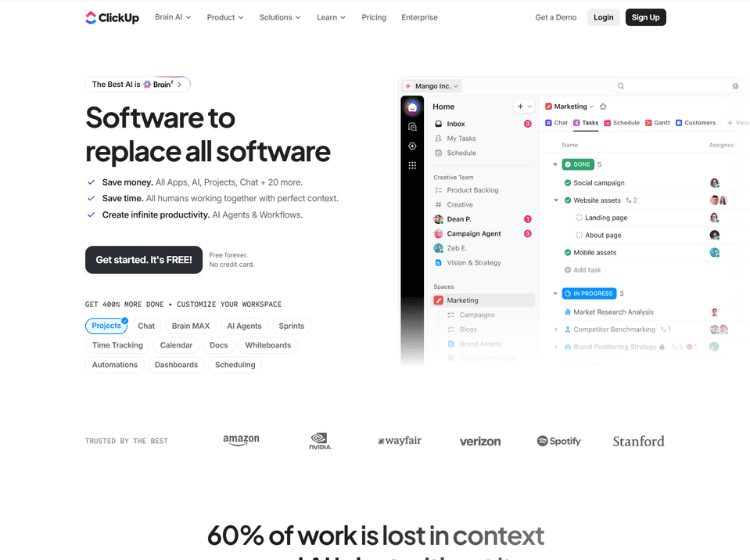
What is ClickUp: Overview
ClickUp is an all-in-one productivity and project management platform designed to centralize work across teams. It combines task management, collaborative documents, team chat, whiteboards, goals, dashboards, time tracking, and workflow automation within a unified workspace. Its AI capabilities, known as ClickUp Brain, provide context-aware assistance by understanding tasks, documents, and conversations inside the workspace. Users can generate content, summarize discussions, answer questions, automate workflows, and retrieve information without switching between multiple applications. ClickUp also integrates with numerous third-party tools, allowing organizations to connect existing workflows while reducing app fragmentation. The platform supports multiple project views, customizable workflows, and collaboration features suitable for businesses of different sizes. Available on web, desktop, and mobile devices, ClickUp is built for project planning, team collaboration, knowledge management, and operational productivity across departments.
Key Features of ClickUp
- AI-powered workspace with ClickUp Brain for writing, summarization, search, and task assistance
- Project and task management with customizable workflows and multiple project views
- Built-in Docs, Whiteboards, Chat, Goals, Dashboards, and knowledge management
- Workflow automation, recurring tasks, dependencies, and approvals
- Integrations with numerous third-party business and productivity tools
How to Use ClickUp: Step-by-Step
Here are the simple steps to start using the ClickUp platform.
Step 1. Visit the ClickUp website and create a free workspace.
Step 2. Set up your workspace by creating Spaces, Folders, Lists, and Tasks.
Step 3. Invite teammates and assign permissions.
Step 4. Create projects, tasks, subtasks, due dates, priorities, and dependencies.
Step 5. Organize work using List, Board, Calendar, Timeline, or Gantt views.
Step 6. Create Docs for notes, SOPs, and documentation.
Step 7. Use ClickUp Brain to generate content, summarize discussions, answer workspace questions, or assist with writing.
Step 8. Build workflow automations to reduce repetitive manual work.
Step 9. Connect external applications using available integrations.
Step 10. Monitor project progress through Dashboards, Goals, and reporting features.
Use Cases of ClickUp
- Project and task management
- Team collaboration and communication
- Knowledge base and documentation management
- Workflow automation and operational management
- Product development, marketing, sales, HR, and IT project tracking
Target Audience
- Project managers
- Marketing teams
- Product teams
- Software development teams
- Sales teams
- Operations teams
- Startups
- Small and medium-sized businesses
- Large enterprises
- Freelancers and consultants
ClickUp Pricing
1. Free Forever – $0/month
2. Unlimited – $7 Per user/month
3. Business – $12 Per user/month
4. Enterprise – Get a custom demo