Jigso - The Proactive AI Operating System for the Enterprise
What is Jigso: Overview
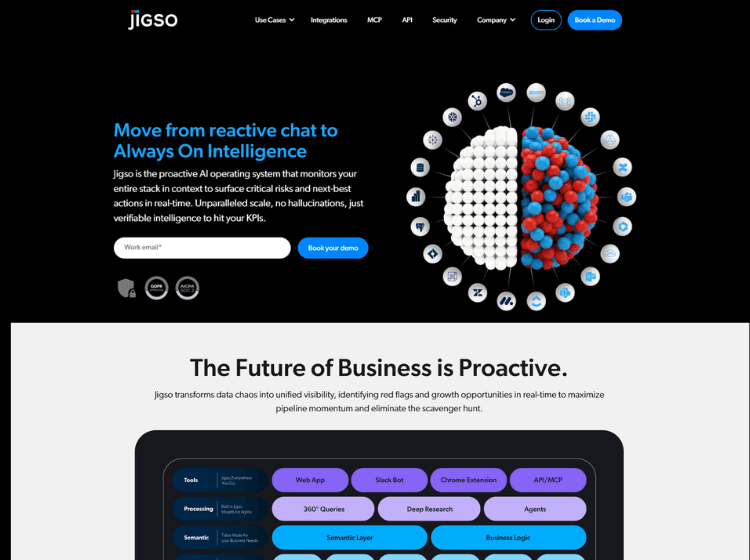
Jigso is an AI-driven productivity and business intelligence platform designed to centralize workplace information across multiple applications and data sources. The platform connects tools such as CRMs, email platforms, project management systems, communication apps, ticketing tools, and cloud storage services into a single conversational workspace. Users can ask questions in natural language, generate reports, monitor activities, and retrieve insights without switching between apps.
The platform positions itself as an “AI Chief of Staff” and an “augmented system of record” that helps teams reduce information silos and improve operational visibility. Jigso also supports proactive notifications, meeting preparation, action-item tracking, and workflow monitoring. It integrates with platforms including Slack, Gmail, Salesforce, HubSpot, Jira, Zendesk, Google Drive, Microsoft 365, and BigQuery.
Jigso is aimed at sales, marketing, customer success, operations, and leadership teams that need quick access to connected business data and collaboration workflows. The service is available through a web application and Slack integration.
Key Features of Jigso
- AI-powered conversational search across connected work apps and company data
- Proactive alerts, monitoring, and meeting preparation workflows
- Integrations with tools like Slack, Salesforce, HubSpot, Jira, Gmail, Zendesk, and Microsoft 365
- Action-item detection and task tracking from emails and team conversations
- Natural language access to business intelligence and structured data sources
How to Use Jigso: Step-by-Step
Here is the step-by-Step guide to start using the Jigso app.
Step 1: Create an Account
Visit Jigso’s official website and sign up for an account.
Step 2: Connect Your Work Apps
Integrate the business tools your team already uses, such as Slack, Salesforce, HubSpot, Gmail, Jira, Google Drive, or Microsoft 365.
Step 3: Configure Data Access
Authorize Jigso to access relevant organizational data and workflows so it can retrieve insights and monitor activities across connected systems.
Step 4: Use Conversational Queries
Ask questions in natural language to search company information, retrieve reports, check customer activity, or review operational updates.
Step 5: Set Alerts and Monitoring Rules
Configure custom alerts and monitoring workflows to receive notifications about important business events, updates, or action items.
Step 6: Collaborate Through Slack or Web App
Access Jigso through its web platform or Slack integration to manage workflows and collaborate with teams directly inside existing communication channels.
Use Cases of Jigso
- Centralizing company knowledge across multiple business tools
- Monitoring sales pipelines and customer activity in real time
- Tracking action items from emails and Slack conversations
- Preparing automated meeting briefings and operational summaries
- Accessing business intelligence data through natural language queries
Target Audience of Jigso
- Sales teams
- Customer success teams
- Revenue operations professionals
- Marketing teams
- Operations managers
- Executive leadership teams
- Organizations using multiple SaaS platforms
Jigso Pricing
- Basic plan: Free limited version for individual use
- Company plan: Starts at $15 per user per month