Zapier AI Workflow Automation
What is Zapier: Overview
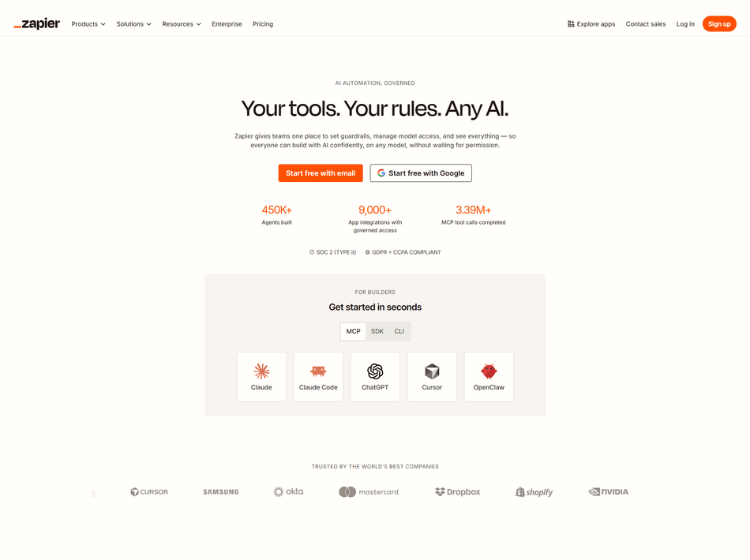
Zapier is a workflow automation and AI orchestration platform designed to connect apps and automate repetitive business processes without requiring code. The platform supports integrations with more than 9,000 applications and offers tools for creating automated workflows, AI agents, chatbots, forms, and data tables.
Users can build “Zaps” that trigger actions between apps such as Gmail, Slack, Google Sheets, Notion, HubSpot, and CRM systems. Zapier also includes AI features that allow users to analyze data, generate content, classify information, and automate decision-making inside workflows.
The platform is used by businesses, marketers, operations teams, and freelancers to automate tasks like lead management, customer support routing, social media scheduling, and reporting. Zapier provides both free and paid plans, with pricing based mainly on task usage and advanced automation features.
Key Features of Zapier
- Connects with 9,000+ apps for workflow automation
- AI-powered workflows, chatbots, and automation tools
- No-code workflow builder with multi-step automations
- Built-in tools including Forms, Tables, and AI Agents
- Supports AI models from OpenAI, Anthropic, Google, and Azure OpenAI
How to Use Zapier: Step-by-Step
Here are the simple steps to start using the Zapier AI automation platform.
Step 1. Create an account on Zapier
Step 2. Choose the apps you want to connect.
Step 3. Select a trigger event from one app.
Step 4. Add actions that should happen automatically in another app.
Step 5. Customize filters, AI actions, or workflow logic if needed.
Step 6. Test the workflow to ensure it works correctly.
Step 7. Turn on the Zap to automate the process continuously.
Use Cases of Zapier
- Automating lead capture and CRM updates
- Scheduling and publishing social media content
- Creating AI-powered customer support workflows
- Syncing data between spreadsheets, forms, and databases
- Automating email notifications and team collaboration tasks
Target Audience of Zapier
- Small businesses
- Marketing teams
- Sales and operations teams
- Freelancers and solopreneurs
- Customer support teams
- No-code builders
- Startups and enterprises
- Productivity-focused professionals
Zapier Pricing
Here’s a short breakdown of Zapier’s pricing plans:
- Free Plan – $0/month
Includes 100 tasks/month, unlimited Zaps, and basic automation features. Good for testing simple workflows. - Pro Plan – Starts at $19.99/month (annual billing) or around $29.99/month
Includes 750 tasks/month, multi-step Zaps, premium apps, filters, paths, and advanced automation tools. - Team Plan – Starts at $69/month (annual billing)
Built for collaboration with shared workspaces, permissions, shared app connections, and SSO support. - Enterprise Plan – Custom pricing
Includes advanced security, governance controls, dedicated support, and large-scale automation management.
Zapier pricing mainly scales based on the number of monthly tasks and advanced features you need.