Skipit AI YT Video Summarizer
What is Skipit AI: Overview
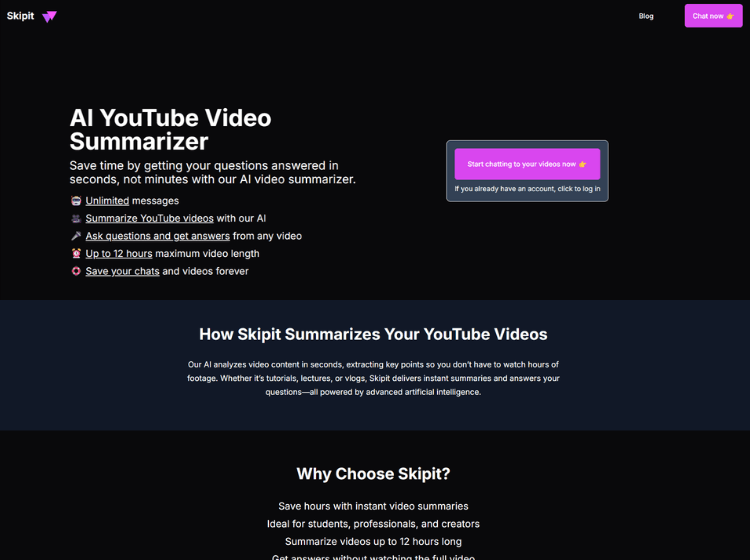
Skipit AI is designed to simplify content consumption by summarizing YouTube videos and enabling interactive question-answering. Users can input a video link and receive concise summaries or ask specific questions to extract relevant insights instantly. The platform supports videos up to 12 hours long, making it suitable for lectures, interviews, and long-form educational content.
The tool offers a chat-based interface where users can interact with video content as if conversing with an assistant. It also allows saving chats and summaries for future reference. Skipit AI includes features such as unlimited messaging and persistent storage, enabling continuous learning workflows.
Key Features of Skipit AI
- AI-powered YouTube video summarization
- Ask questions and get answers from video content
- Supports videos up to 12 hours long
- Unlimited messaging with chat-based interaction
- Save chats and video summaries for future use
How to Use Skipit AI (Step-by-step)
Here are the steps to start using the Skipit.ai platform.
Step 1. Visit the Skipit AI website.
Step 2. Paste a YouTube video link into the tool.
Step 3. Let the AI process and generate a summary.
Step 4. Ask specific questions about the video content.
Step 5. Review answers and insights instantly.
Step 6. Save chats or summaries for later reference.
Use Cases of Skipit AI
- Summarizing long educational videos
- Extracting insights from webinars and lectures
- Quick research from YouTube content
- Content review for creators and marketers
- Learning key points without watching full videos
Target Audience of Skipit AI
- Students and learners
- Researchers and analysts
- Content creators
- Marketing professionals
- Busy professionals consuming video content
Skipit AI Pricing
Freemium model (free plan available).
Paid plans start from $7.99 / month (billed annually $99) and $12.99 / month (billed monthly)