CapCut AI Video Editor
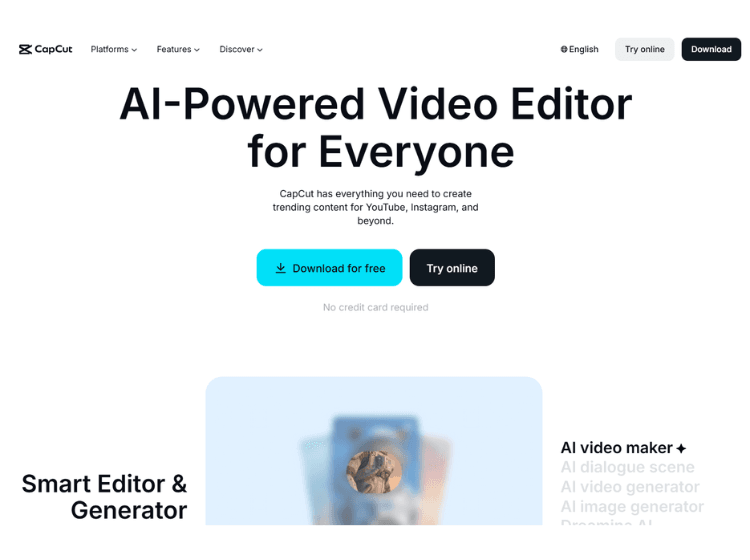
What is CapCut AI: Overview
CapCut is an AI-powered video editor that leverages advanced machine learning models, including integrations with Google’s Veo and OpenAI’s Sora, to automate complex video and image tasks. Unlike traditional editors that require manual frame-by-frame adjustments, CapCut AI understands context, allowing it to generate scripts, remove backgrounds, and even create digital humans that speak your words.
Core Features of CapCut AI
- AI Video Maker
- AI Script-to-Video
- Text-to-Speech
- AI Avatars
- Auto Captions
- Background Removal
- AI Color Match & Enhance
- Smart Stabilization
How to Use CapCut AI: Step-by-Step
Getting started with the AI features is straightforward. Here is how to use the Script-to-Video tool:
1. Launch the Tool: Open the CapCut app (or web version) and select the “Script to Video” or “AI Video Maker” shortcut on the homepage.
2. Generate a Script: Enter your topic (e.g., “5 Healthy Breakfast Ideas”). You can write your own or click “AI Writer” to let the AI draft it for you.
3. Choose Your Style: Select your preferred aspect ratio (9:16 for TikTok/Reels or 16:9 for YouTube) and the voiceover tone you want.
4. Generate & Refine: Click “Generate Video.” CapCut will assemble the clips. Once done, you can manually swap any stock footage the AI chose with your own media.
5. Export: Review the final product and hit “Export” to save it in up to 4K resolution.
Use Cases of CapCut AI
-
- E-commerce & Marketing
- Education
- Social Media Growth
- Global Content
Who is It For?
- Content Creators
- Small Business Owners
- Corporate Teams
- Professional Video Editors
Pricing and Plans of CapCut AI
1. Free – $0 (Basic AI tools, 1080p export, 130+ languages for captions)
2. Standard – $9.99/mo (Removes watermarks, more templates, and faster rendering)
3. Pro – $19.99/mo (4K @ 60fps export, full AI toolkit, 100GB cloud storage, and premium effects)