Napkin AI: Convert Text into Visuals
What is Napkin AI: Overview
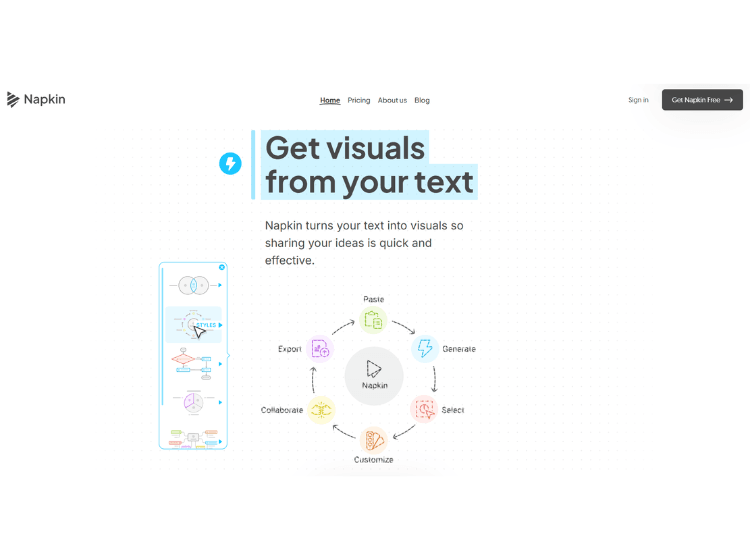
Napkin AI is an AI-powered visual creation tool that converts written text into diagrams, infographics, and other visuals. Users can paste or write content, and the platform automatically generates visual representations that simplify ideas and improve communication for presentations, documents, and collaborative work.
Key Features of Napkin AI
- Text-to-Visual Generation – Automatically converts text into diagrams, charts, or other visuals.
- Multiple Export Formats – Export visuals as PNG, SVG, PPT, or PDF files.
- Visual Customization – Adjust colors, styles, fonts, and layout for generated visuals.
- Team Collaboration Tools – Includes shared workspaces, real-time editing, and commenting features.
- Multi-language Support – Create visuals in more than 60 languages.
How to Use Napkin AI (Step-by-Step)
To use the Napkin.ai tool, follow these simple steps.
1. Visit the Napkin AI website and create an account using Google or email.
2. Open a new document or workspace in the editor.
3. Paste or write the text content you want to visualize.
4. Select a portion of the text and click the Generate Visual option.
5. Review the generated visual suggestions and choose the preferred design.
6. Customize the visual style if needed.
7. Export the visual in formats such as PNG, SVG, PPT, or PDF.
Use Cases of Napkin AI
- Visualizing business ideas and strategies
- Creating diagrams for presentations
- Simplifying complex reports or documents
- Educational content visualization
- Brainstorming and idea mapping
Target Audience of Napkin AI
- Business professionals
- Marketers and content creators
- Educators and students
- Product managers and consultants
- Teams collaborating on presentations or documents
Napkin AI Pricing
1. Free Plan – $0/month with weekly AI credits and basic features.
2. Plus Plan – $9 per person/month with additional AI credits and branding features.
3. Pro Plan – $22 per person/month with higher credit limits and advanced customization.
4. Enterprise Plan – Contact sales for pricing.
