Framer AI Website Builder
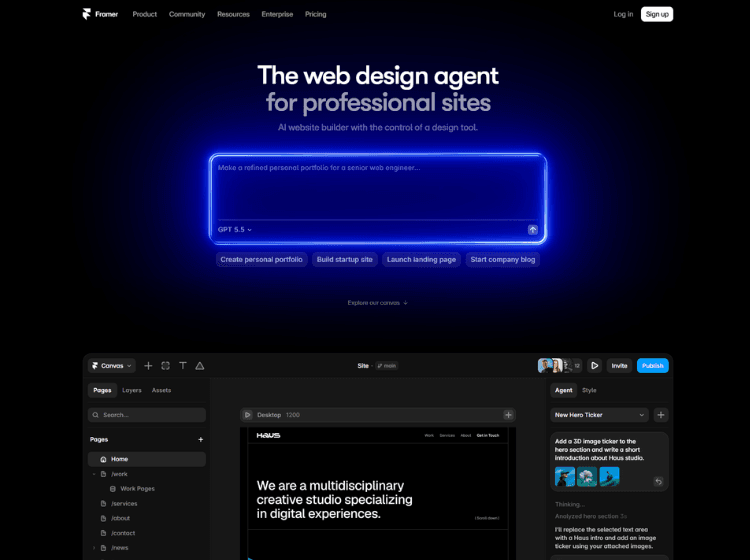
What is Framer AI: Overview
Framer AI is a website creation platform that combines AI-powered design assistance with a visual editing canvas. Users can generate complete website layouts, sections, copy, and visuals from text prompts, then customize every element before publishing. The platform also supports AI-assisted code generation, multilingual content translation, CMS management, analytics insights, and responsive website design.
Instead of relying entirely on templates, Framer AI allows users to iteratively refine pages through conversational AI while maintaining full editing control. Teams can collaborate in real time, publish websites with built-in hosting, and optimize content using integrated SEO capabilities. Additional features such as AI-powered localization, component generation, and analytics recommendations help streamline website creation and ongoing maintenance. Framer is suitable for portfolios, business websites, landing pages, marketing sites, and other modern web projects where visual design and rapid publishing are priorities.
Key Features of Framer AI
- AI-powered website generation from text prompts
- Visual drag-and-drop website editor with responsive design
- AI-assisted code generation for custom components and interactions
- Built-in CMS, SEO tools, hosting, and analytics
- AI translation and localization for multilingual websites
How to Use Framer AI: Step-by-Step
Here are the simple steps to start using the Framer platform.
Step 1. Visit the Framer website and create an account.
Step 2. Start a new website project.
Step 3. Enter a prompt describing the website you want to create.
Step 4. Allow the AI agent to generate layouts, content, visuals, and sections.
Step 5. Customize typography, colors, spacing, images, and components using the visual editor.
Step 6. Use AI to generate or modify custom code if additional functionality is required.
Step 7. Add CMS collections if your website requires dynamic content.
Step 8. Optimize metadata and SEO settings before publishing.
Step 9. Preview the website across different screen sizes.
Step 10. Publish the website using Framer hosting or connect your own domain.
Step 11. Continue refining the site using AI suggestions, analytics, and localization tools as needed.
Use Cases of Framer AI
- Designing business and company websites
- Creating landing pages for products and campaigns
- Building portfolios for designers and creators
- Developing startup websites with CMS support
- Managing multilingual marketing websites with AI translation
Target Audience
- Web designers
- UI/UX designers
- Freelancers
- Startups
- Marketing teams
- Creative agencies
- Small businesses
- Product teams
- No-code creators
- Content managers
Framer AI Pricing
1. Free – ₹0 (500 credits to try)
2. Basic (Creative personal sites) – ₹361 per month (1,000 credits / month)
3. Pro (Growing professional sites) – ₹1,084 per month (3,000 credits / month)
4. Enterprise (Mission critical sites) – Credits with volume discounts