Lindy AI Executive Assistant
What is Lindy AI: Overview
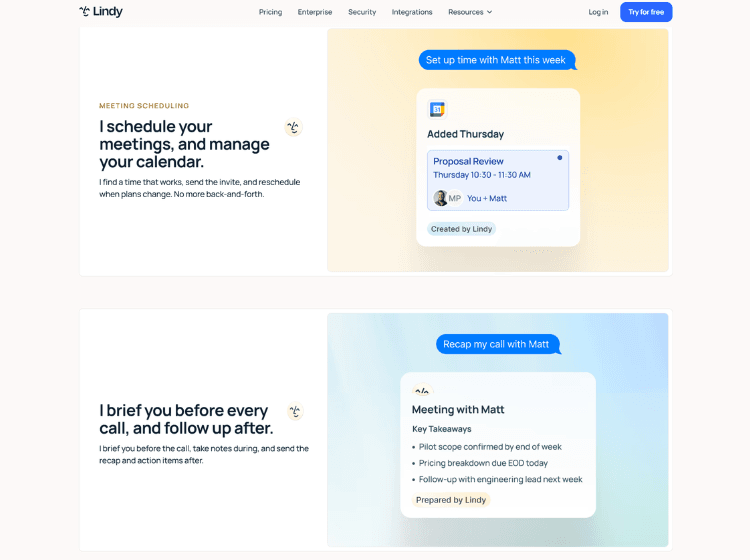
Lindy AI is an AI assistant and workflow automation platform designed to automate repetitive business and personal productivity tasks. Users can create custom AI agents without coding by using Lindy’s visual workflow builder, which combines AI reasoning with app integrations and automation triggers. The platform supports use cases such as email management, meeting scheduling, note-taking, follow-up generation, customer support, lead qualification, research, and task automation.
Lindy integrates with hundreds of popular business tools, including Gmail, Google Calendar, Slack, Notion, Salesforce, HubSpot, Outlook, GitHub, and more. Users can configure AI agents to monitor events, execute actions, and communicate through email, SMS, or messaging channels. The platform also includes meeting preparation, meeting summaries, inbox management, and workflow automation capabilities.
For organizations, Lindy offers enterprise-grade security features such as SSO, SCIM, audit logs, GDPR compliance, HIPAA support, and dedicated onboarding assistance.
Key Features of Lindy AI
- No-code AI agent and workflow builder
- Email, inbox, and calendar management automation
- Meeting scheduling, recording, summaries, and follow-ups
- Hundreds of integrations with business applications
- Enterprise security, compliance, and access controls
How to Use Lindy AI: Step-by-Step
Here are the simple steps to start using the Lindy.ai app.
Step 1: Create an Account – Visit Lindy AI’s website and sign up for an account. New users can start with a free trial.
Step 2: Connect Your Applications – Authorize the apps you want Lindy to access, such as Gmail, Google Calendar, Slack, Notion, HubSpot, or Outlook.
Step 3: Select a Trigger – Choose an event that will start your automation, such as:
- New email received
- Calendar event created
- Slack message received
- Scheduled time trigger
Step 4: Build Your AI Workflow – Use the visual workflow builder to define actions, conditions, and AI-powered tasks. You can create workflows for email drafting, research, customer support, lead management, and more.
Step 5: Configure AI Instructions – Provide natural language instructions explaining how the AI assistant should perform the task.
Step 6: Test the Workflow – Run tests to verify the automation behaves as expected and makes the correct decisions.
Step 7: Activate and Monitor – Enable the workflow and monitor its execution through the Lindy dashboard. Adjust prompts or logic as needed.
Use Cases of Lindy AI
- Automating email triage and response drafting
- Scheduling meetings and sending follow-ups
- Customer support workflow automation
- Lead qualification and outreach automation
- Research, data collection, and business process automation
Target Audience of Lindy AI
- Business professionals
- Entrepreneurs and solopreneurs
- Sales teams
- Customer support teams
- Operations teams
- Recruiters
- Agencies
- Enterprise organizations
Lindy AI Pricing
1. Plus – $49.99/month
2. Pro – $99.99/month
3. Max – $199.99/month
4. Enterprise – Custom pricing (Contact Sales)
5. Free Trial – 7-day free trial available