SchoolAI Education Platform
What is SchoolAI: Overview
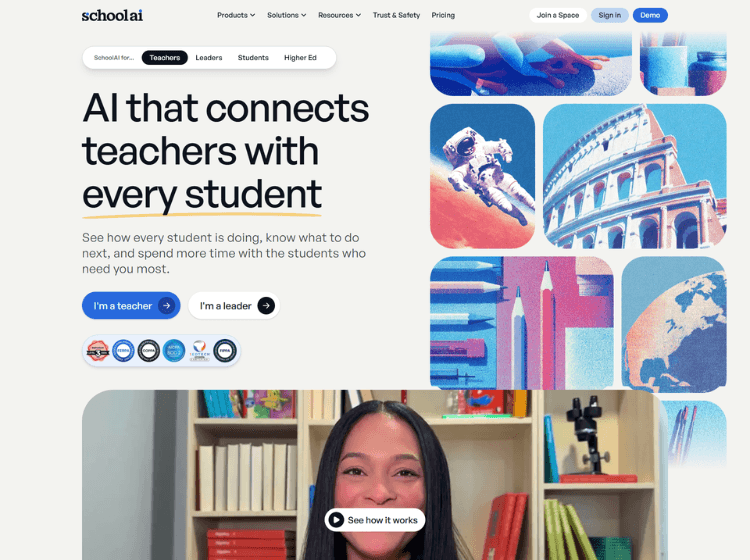
SchoolAI is an educational AI platform built to help teachers, students, and school leaders improve classroom learning through guided AI experiences. The platform enables educators to create AI-powered learning environments called Spaces, where students receive personalized support based on their learning level, pace, and interests.
Teachers can monitor student engagement and progress through Mission Control, which provides real-time visibility into learning outcomes and identifies students who may need additional support. SchoolAI also offers AI-powered tools for lesson planning, feedback generation, assessments, and classroom activities.
Students interact with AI through Dot, an AI learning assistant designed to support thinking and learning rather than provide direct answers. Additional features include browser extensions, AI-powered content creation tools, LMS integrations, translation capabilities, document uploads, and governance controls for districts.
The platform emphasizes privacy, compliance, and educational safety with support for FERPA, COPPA, SOC 2, and 1EdTech standards.
Key Features of SchoolAI
- AI-powered Spaces for personalized student learning experiences
- Mission Control for real-time classroom insights and progress tracking
- Dot AI Sidekick for guided student support and tutoring
- Browser Extension for lesson planning, feedback, and classroom workflows
- LMS integrations, governance controls, and district-wide management tools
How to Use SchoolAI: Setp-by-Step
Here are the simples steps to start using the SchoolAI platform.
Step 1. Create a SchoolAI account.
Step 2. Set up a teacher workspace and explore available tools.
Step 3. Create a Space tailored to a lesson, assignment, or learning objective.
Step 4. Invite students to join the learning experience.
Step 5. Monitor student engagement and performance through Mission Control.
Step 6. Use AI tools for lesson planning, assessments, and feedback generation.
Step 7. Review learning insights and adjust instruction as needed.
Step 8. Scale usage through LMS integrations and district management features if required.
Use Cases of SchoolAI
- Personalized student tutoring and learning support
- AI-assisted lesson planning and curriculum development
- Classroom engagement monitoring and intervention tracking
- Creating assessments, activities, and feedback workflows
- District-wide AI implementation and governance
Target Audience of SchoolAI
- K-12 Teachers
- School Administrators
- District Leaders
- Educational Technology Coordinators
- Curriculum Designers
- Instructional Coaches
- Students
SchoolAI Pricing
1. Free Trial – Contact to sales (See how AI-guided learning works for your students)
2. Pro – Contact to sales (Unlimited Spaces with the visibility, rostering, and support schools need to grow adoption)
3. Scale – Contact to sales (District-wide AI with LMS-embedded Spaces, student portals, 24/7 access, and the governance tools district leaders need)