Claid AI Product Photo Generation Platform
What is Claid AI: Overview
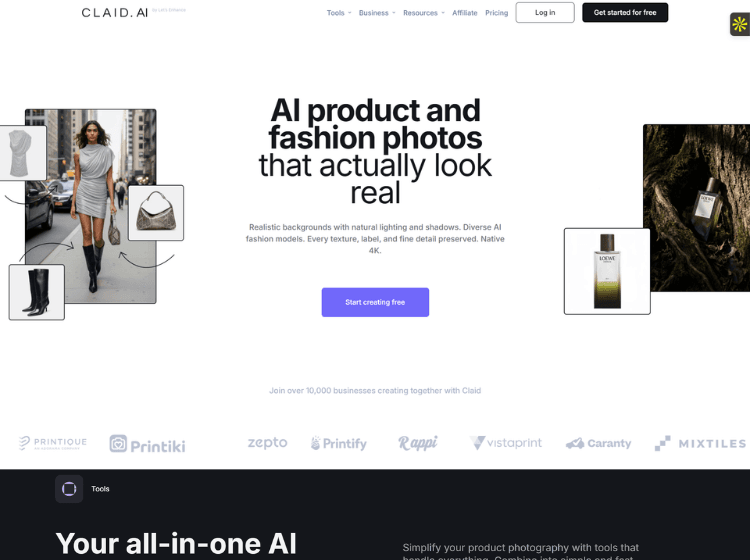
Claid AI is a specialized AI image editing and product photography platform designed for e-commerce brands, marketplaces, agencies, and developers. The platform focuses on helping users improve product images, generate lifestyle photography, create AI fashion model shots, and automate image enhancement workflows at scale. Users can remove backgrounds, upscale image quality, adjust lighting and colors, generate realistic shadows, create AI-generated product scenes, resize images for multiple marketplaces, and convert static images into short videos. Claid AI provides both a web-based studio for marketers and creative teams and a developer-focused API for integrating image processing directly into business workflows. The platform emphasizes product-focused image generation and editing, helping businesses maintain branding consistency while reducing manual editing efforts. Its tools support catalog creation, advertising creatives, social media content, and large-scale product image management across online stores and digital marketplaces.
Key Features of Claid AI
- AI-powered product photography generation and enhancement.
- Background removal, blur, and replacement tools.
- AI Fashion API for generating on-model apparel photos.
- Image-to-video generation from static product images.
- Developer APIs for automated image editing, resizing, upscaling, and workflow integration.
How to Use Claid AI: Step-by-Step
Here are the easy steps to start using the Claid.ai platform.
Step 1: Create an Account – Visit the Claid AI website and sign up for a free trial account. New users receive trial credits to explore available features.
Step 2: Upload Product Images – Upload product photos from your device for editing, enhancement, or AI-powered transformation.
Step 3: Choose an Editing Tool – Select from available tools such as:
- Background Removal
- AI Background Generation
- AI Fashion
- Upscaling
- Shadow Generation
- AI Edit
- Image-to-Video
Step 4: Configure Your Output – Adjust settings such as image size, aspect ratio, scene style, lighting preferences, or AI prompts depending on the selected tool.
Step 5: Generate Results – Run the AI workflow and allow Claid AI to process your images automatically.
Step 6: Download or Integrate – Download edited assets or connect the API to automate image processing within your existing workflow.
Use Cases of Claid AI
- Create product photos for e-commerce stores.
- Generate lifestyle product images for advertising campaigns.
- Produce AI-generated apparel model photography.
- Enhance and upscale low-quality product images.
- Automate large-scale image processing through APIs.
Target Audience
- E-commerce brands
- Online marketplaces
- Product photographers
- Marketing agencies
- Fashion retailers
- Creative teams
- Developers and SaaS companies
- Catalog management teams
Claid AI Pricing
1. Free trial – $0/month (Explore the product’s capabilities)
2. Essentials – $9/month (Perfect for simple editing and generations)
3. Pro – $35/month (Ideal for advanced editing and customizations)
4. Business – Custom/month (Scaleable plans custom to your company’s needs)