PXZ AI Image and Video Tool
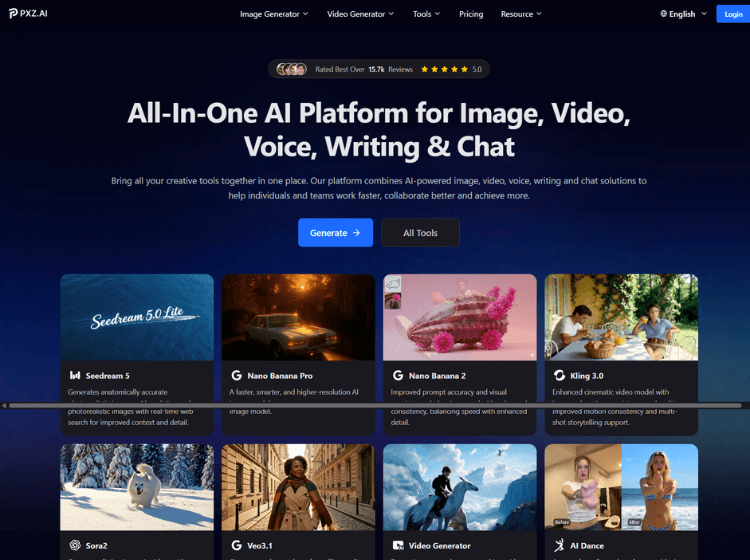
What is PXZ AI: Overview
PXZ AI is a creative AI platform designed to streamline content production across multiple formats. The platform brings together AI-powered image generation, video creation, voice tools, writing assistance, and conversational AI within a single workspace. Users can generate images from text prompts, transform images into videos, apply visual effects, enhance media quality, create voice content, and produce written materials without switching between different applications.
The platform integrates several AI models for image and video generation, allowing users to experiment with different creative outputs based on project requirements. PXZ AI also includes editing utilities such as video enhancement, compression, format conversion, image upscaling, and background editing tools. Its credit-based subscription system supports both occasional users and high-volume creators.
PXZ AI is suitable for content creators, marketers, agencies, educators, and businesses looking to simplify AI-powered content workflows while managing visual, audio, and text-based projects from one centralized platform.
Key Features of PXZ AI
- AI image generation using multiple image models and styles.
- Text-to-video and image-to-video creation tools.
- AI-powered video enhancement, compression, trimming, and format conversion.
- Voice generation, voice cloning, and AI writing assistance.
- Integrated AI chat and cross-workflow content creation environment.
How to Use PXZ AI: Step-by-Step
Here are the simple steps to start using the PXZ.ai app.
Step 1: Create an Account – Visit the PXZ AI platform and sign up for a free or paid account.
Step 2: Select a Tool – Choose the tool you want to use, such as AI Image Generator, Video Generator, Voice Generator, Writing Assistant, or AI Chat.
Step 3: Upload or Enter Content – Provide a text prompt, upload an image, upload a video, or enter written content depending on the selected tool.
Step 4: Customize Settings – Adjust available settings such as resolution, style, video length, effects, templates, or output format.
Step 5: Generate Content – Start the generation process and wait for the AI model to create the requested output.
Step 6: Edit and Enhance – Use built-in enhancement tools to improve image quality, modify videos, apply effects, or refine written content.
Step 7: Export Your Project – Download the final asset in the desired format for publishing, marketing, social media, education, or business use.
Use Cases of PXZ AI
- Creating social media images, reels, and marketing videos.
- Producing promotional content for brands and businesses.
- Generating educational materials and training content.
- Enhancing and converting media assets for publishing workflows.
- Creating AI-generated artwork, voiceovers, and written content.
Target Audience of PXZ AI
- Content creators
- Social media managers
- Marketing teams
- Digital agencies
- Educators and trainers
- Small businesses
- Designers and creative professionals
- Freelancers and consultants
PXZ AI Pricing
1. Free Plan – Available
2. Basic – $9/month (annual billing promotion shown on website)
3. Plus – $14/month (annual billing promotion shown on website)
4. Pro – $69/month (annual billing promotion shown on website)