Evoto AI Photo Editing Software
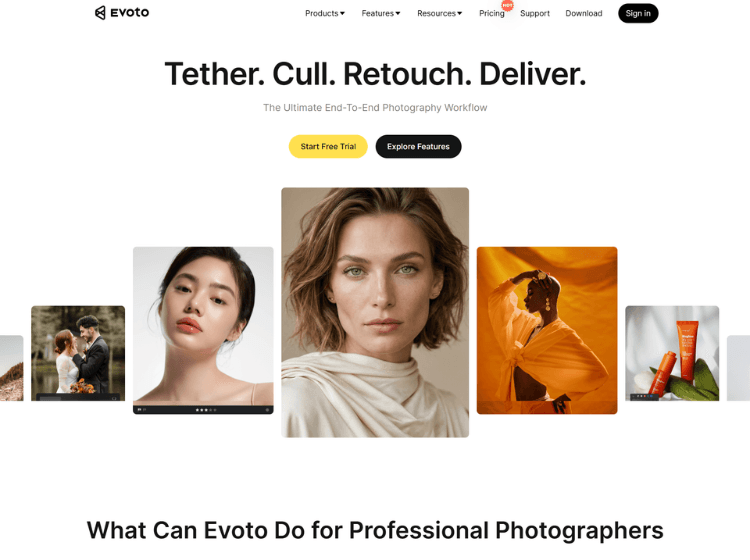
What is Evoto AI: Overview
Evoto AI is a professional photo editing and retouching platform built to streamline photography workflows through artificial intelligence. The software offers tools for portrait enhancement, skin retouching, color grading, background replacement, object removal, image sharpening, and batch editing. It is designed for photographers working across weddings, events, headshots, fashion, maternity, and commercial photography projects.
The platform supports multiple environments, including Windows, macOS, iPad, mobile devices, and browser-based editing. Users can manage large image collections, apply edits across multiple photos, and maintain consistent visual styles throughout entire projects. Evoto also includes AI-powered culling, tethered shooting support, cloud collaboration features, and workflow automation tools.
According to the company, Evoto follows GDPR and CCPA compliance standards and states that user images are not used for AI model training without consent. The software operates using a credit-based export system alongside subscription options.
Key Features of Evoto AI
- AI portrait retouching with skin smoothing, blemish removal, and facial enhancements
- Batch photo editing for large photography projects
- AI color matching and color grading tools
- Background removal, replacement, and object removal features
- Cross-platform workflow support across desktop, web, mobile, and iPad devices
How to Use Evoto AI: Step-by-Step
Here are the simple steps to start using the Evoto.ai platform.
Step 1: Download and Install – Visit the official Evoto website and download the application for Windows, macOS, iPad, or mobile devices.
Step 2: Create an Account – Register for an Evoto account and log in to access the editing workspace and available credits.
Step 3: Import Photos – Upload RAW, JPEG, or supported image files into the project library for editing.
Step 4: Apply AI Enhancements – Use AI retouching tools for skin correction, color adjustments, background editing, sharpening, and other enhancements.
Step 5: Batch Edit Images – Apply settings across multiple photos to maintain consistency and reduce editing time.
Step 6: Review and Export – Preview final results and export edited images using available credits within your plan.
Use Cases of Evoto AI
- Wedding photography post-production
- Professional headshot retouching
- Fashion and beauty photography editing
- Event photography workflow management
- Product and eCommerce image enhancement
Target Audience of Evoto AI
- Professional photographers
- Photography studios
- Wedding photographers
- Content creators
- Retouching professionals
- Marketing and creative teams
- eCommerce sellers
- Freelance photo editors
Evoto AI Pricing
1. Starter Plan – US$89/year (800 credits)
2. Basic Plan – US$149/year (1,600 credits)
3. Basic Plus Plan – US$269/year (3,600 credits)
4. Standard Plan – US$579/year (9,000 credits)
5. Standard Plus Plan – US$1,339/year (24,000 credits)
6. Pay-as-You-Go – Available
7. Enterprise – Custom pricing
8. Free Trial – Available