AI Studios
What is AI Studios: Overview
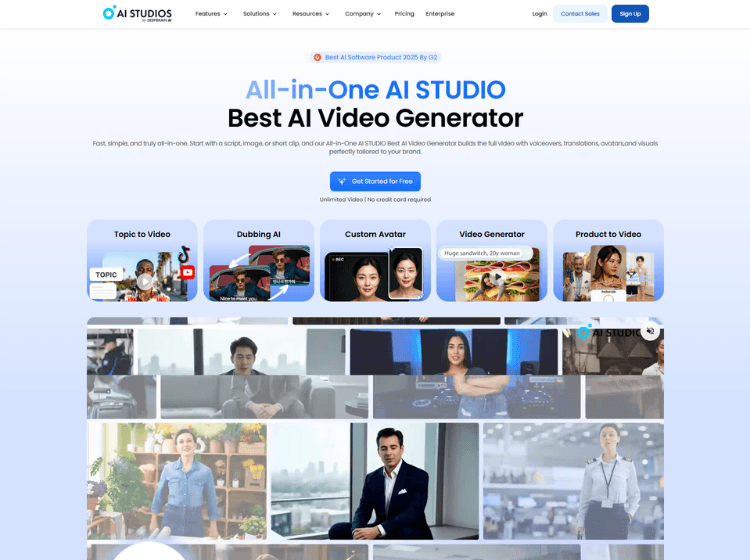
AI Studios is a web-based AI video generation platform developed to simplify video production through artificial intelligence. The platform allows users to create videos from text scripts using realistic AI avatars, multilingual voiceovers, templates, and automated editing tools. Users can generate business presentations, training materials, educational content, marketing videos, and internal communications without recording cameras, hiring actors, or using complex editing software.
The platform offers a library of AI avatars, supports text-to-speech in multiple languages, and includes tools for video translation, dubbing, and content localization. AI Studios also provides ready-made templates that help speed up video creation for different industries and use cases.
With browser-based access, users can create and edit videos from a single workspace. The platform is designed for both individual creators and organizations looking to streamline video production while maintaining consistency across multilingual and large-scale content projects.
Key Features of AI Studios
- AI avatar-based video generation from text scripts
- Text-to-speech support across 150+ languages
- AI video translation and dubbing tools
- 7,000+ customizable video templates
- Browser-based video editing and content creation workspace
How to Use AI Studios: Step-by-Step
Here are the easy steps to start using the AI Studios for video creattion.
Step 1: Create an Account – Visit AI Studios Official Website and sign up for a free or paid account.
Step 2: Start a New Project – Open the dashboard and select a video template or start with a blank project.
Step 3: Add Your Script – Paste or write the text that you want the AI avatar to present.
Step 4: Select an AI Avatar – Choose from the available AI presenters that best match your content style.
Step 5: Configure Voice Settings – Select your preferred language, voice, accent, and speaking style.
Step 6: Customize the Video – Add images, branding elements, subtitles, animations, or background media.
Step 7: Translate or Dub Content – Use the built-in translation tools if you want multilingual versions.
Step 8: Generate the Video – Render the project and review the generated output.
Step 9: Export and Share – Download the final video or publish it through your preferred channels.
Use Cases of AI Studios
- Employee training and onboarding videos
- Marketing and promotional content creation
- Educational and e-learning lessons
- Product demonstrations and presentations
- Multilingual corporate communications
Target Audience of AI Studios
- Marketing teams
- Content creators
- Educators and trainers
- Small and medium-sized businesses
- Enterprise communication teams
- HR and onboarding departments
- E-learning professionals
AI Studios Pricing
1. Free – $0/mo (Best for getting started with AI video creation)
2. Personal – $24/mo (Best for solo creators producing AI videos without limits)
3. Team – $55/seat/mo (Built for teams collaborating on unlimited AI video creation)
4. Enterprise – Custom (Advanced AI video solutions for enterprise needs)