Vidmage AI Face Swap Platform
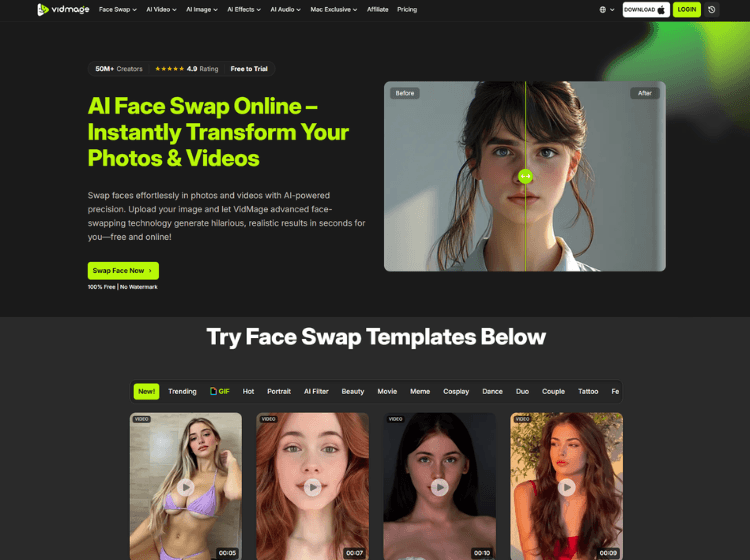
What is Vidmage AI: Overview
Vidmage AI is an AI face swap platform designed for creating face-swapped photos, videos, GIFs, and live camera effects. The platform supports online editing as well as a Mac application with local processing capabilities. Users can upload media, select a target face, and generate swapped content in seconds using AI-based facial recognition and blending technology.
Vidmage AI includes features such as multi-face swapping, GIF face replacement, celebrity-style swaps, facial feature editing, and live virtual camera support for platforms like Zoom and OBS on Mac devices. The platform also supports 4K exports and works with multiple video formats.
The tool is positioned for creators, meme makers, streamers, and casual users looking for fast AI editing workflows without manual video editing skills. Vidmage AI offers both free and paid plans, along with credit-based usage for additional processing. Privacy-focused users can use the Mac version for local on-device processing instead of cloud uploads.
Key Features of Vidmage AI
- AI face swap for photos, videos, and GIFs
- Multi-face swap support for group scenes
- Live face swap virtual camera for Zoom and OBS (Mac)
- Facial feature swap for partial edits like eyes or mouth
- 4K export support with local Mac processing
How to Use Vidmage AI: Step-by-Step
Here are the simple steps to start using the Vidmage.ai platform.
Step 1: Visit the Website: Go to Vidmage AI Official Website.
Step 2: Upload Your Media: Upload a photo, video, or GIF that contains the original face you want to replace.
Step 3: Upload the Target Face: Add another image containing the face you want to use for the swap.
Step 4: Select the Face Swap Tool: Choose between photo swap, video swap, GIF swap, or multi-face swap depending on your project.
Step 5: Generate the Face Swap: Click the swap button and wait for the AI to process the content.
Step 6: Preview the Result: Review the generated output and check facial alignment, lighting, and blending quality.
Step 7: Download or Share: Download the final media or use the Mac app for live streaming integrations and local exports.
Use Cases of Vidmage AI
- Creating social media memes and reaction GIFs
- Editing group photos with multiple face swaps
- Producing entertainment or parody content
- Live streaming with AI face effects on video calls
- Replacing faces in short-form video content
Target Audience
- Content creators
- Meme creators
- Video editors
- Streamers and gamers
- Social media users
- Digital artists
- Casual entertainment users
Vidmage AI Piricing
1. Free Plan – $0.0 (0 credit)
2. Monthly Plan – $14.99/month (400 credits/month)
3. Yearly Plan – $8.33/month (billed yearly) (400 credits/month)
4. Pay-as-you-go Credits – Starts at $9.99 for 500 credits
Pricing may change over time.