Microsoft Copilot: Your AI companion
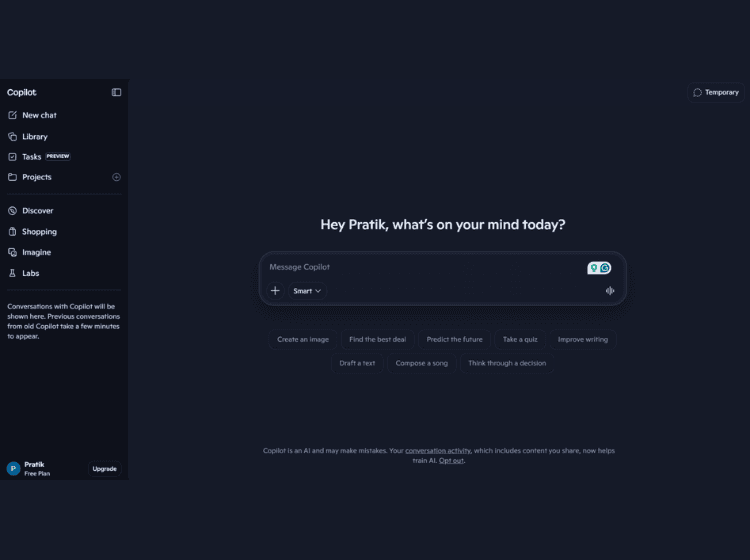
What is Microsoft Copilot: Overview
Microsoft Copilot is a generative AI assistant developed by Microsoft to support everyday tasks such as writing, research, and content creation. It works through a conversational interface where users can enter prompts and receive AI-generated responses, insights, or suggestions. The tool is available across multiple platforms, including web, mobile, Windows, and Microsoft 365 applications.
Copilot combines large language models with web search capabilities and, in some cases, organizational data to deliver contextual answers. It can assist with drafting emails, summarizing information, generating ideas, and creating visual or written content. Within Microsoft 365 apps like Word, Excel, and PowerPoint, it enhances productivity by automating repetitive tasks and providing intelligent recommendations.
The platform is designed for both individual and enterprise use, with different tiers offering varying levels of access, performance, and integration. Copilot aims to streamline workflows while maintaining a familiar user experience.
Key Features of Microsoft Copilot
- Conversational AI chat for answering questions and generating content
- Integration with Microsoft 365 apps like Word, Excel, PowerPoint, and Outlook
- Web-powered responses with contextual insights
- Content creation support (text, ideas, summaries, and more)
- Enterprise-grade security and compliance options in business plans
How to Use Microsoft Copilot (Step-by-Step)
Here are the simple steps to start using the copilot.microsoft.com platform.
Step 1. Visit the official Copilot website or open it via Windows, Edge, or a mobile app
Step 2. Sign in with a Microsoft account (if required)
Step 3. Enter a prompt or question in the chat interface
Step 4. Review the AI-generated response or suggestions
Step 5. Refine your query for better results or request edits
Step 6. Use integrations (e.g., Word, Excel) for task-specific assistance
Use Cases of Microsoft Copilot
- Writing emails, blogs, or documents
- Researching topics and summarizing information
- Generating creative ideas or brainstorming
- Assisting with presentations and spreadsheets
- Automating repetitive productivity tasks
Target Audience of Microsoft Copilot
- Students and researchers
- Content creators and writers
- Business professionals and teams
- Developers and knowledge workers
- General users seeking AI assistance
Microsoft Copilot Pricing
- Free version available with basic AI chat features
- Copilot Personal (individual plan): available at $9.99/month
- Copilot Premium (business/enterprise add-on): available at $19.99/month