Debugg AI - Automated Testing for Browser
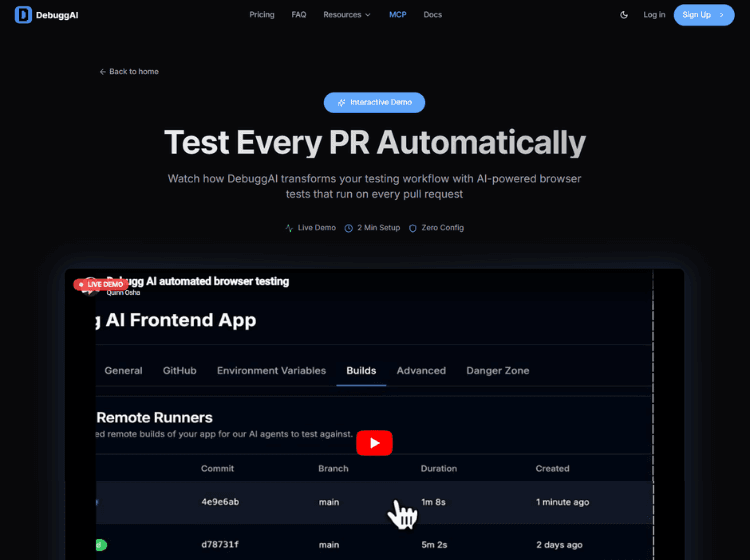
What is Debugg AI: Overview
Debugg AI is a developer-focused tool that leverages artificial intelligence to simplify the debugging process. It helps users quickly identify errors, understand root causes, and implement fixes without spending excessive time on manual troubleshooting. By analyzing code behavior and patterns, Debugg AI provides actionable insights that improve productivity and reduce development cycles.
The platform is designed to fit into modern development workflows, making it suitable for individual developers as well as teams. It supports faster iteration by minimizing downtime caused by bugs and technical issues. Instead of relying solely on traditional debugging methods, users can benefit from AI-assisted suggestions that enhance accuracy and efficiency.
Key Features of Debugg AI
- AI-powered error detection and analysis
- Automated debugging suggestions
- Code issue identification with contextual insights
- Streamlined troubleshooting workflow
- Supports faster development and iteration cycles
How to Use Debugg AI
Here are the simple steps to start using the Debugg AI app.
Step 1. Visit the Debugg AI website and access the platform
Step 2. Input or upload your code or project
Step 3. Allow the AI to analyze the codebase
Step 4. Review detected issues and suggested fixes
Step 5. Apply changes and re-test your code
Step 6. Iterate until errors are resolved
Use Cases of Debugg AI
- Debugging application errors in development
- Improving code quality and performance
- Reducing time spent on troubleshooting
- Assisting developers during rapid prototyping
- Supporting teams in maintaining clean codebases
Target Audience of Debugg AI
- Software developers
- Engineering teams
- Startups and tech companies
- QA testers and technical analysts
- Students learning programming
Debugg AI Pricing
1. Free – $0/month (Perfect for open source)
2. Pro – $20/month (For professional developers)
3. Grow – $40/month (For growing teams)
4. Enterprise – Custom (For organizations at scale)